Assigning Service Providers
-
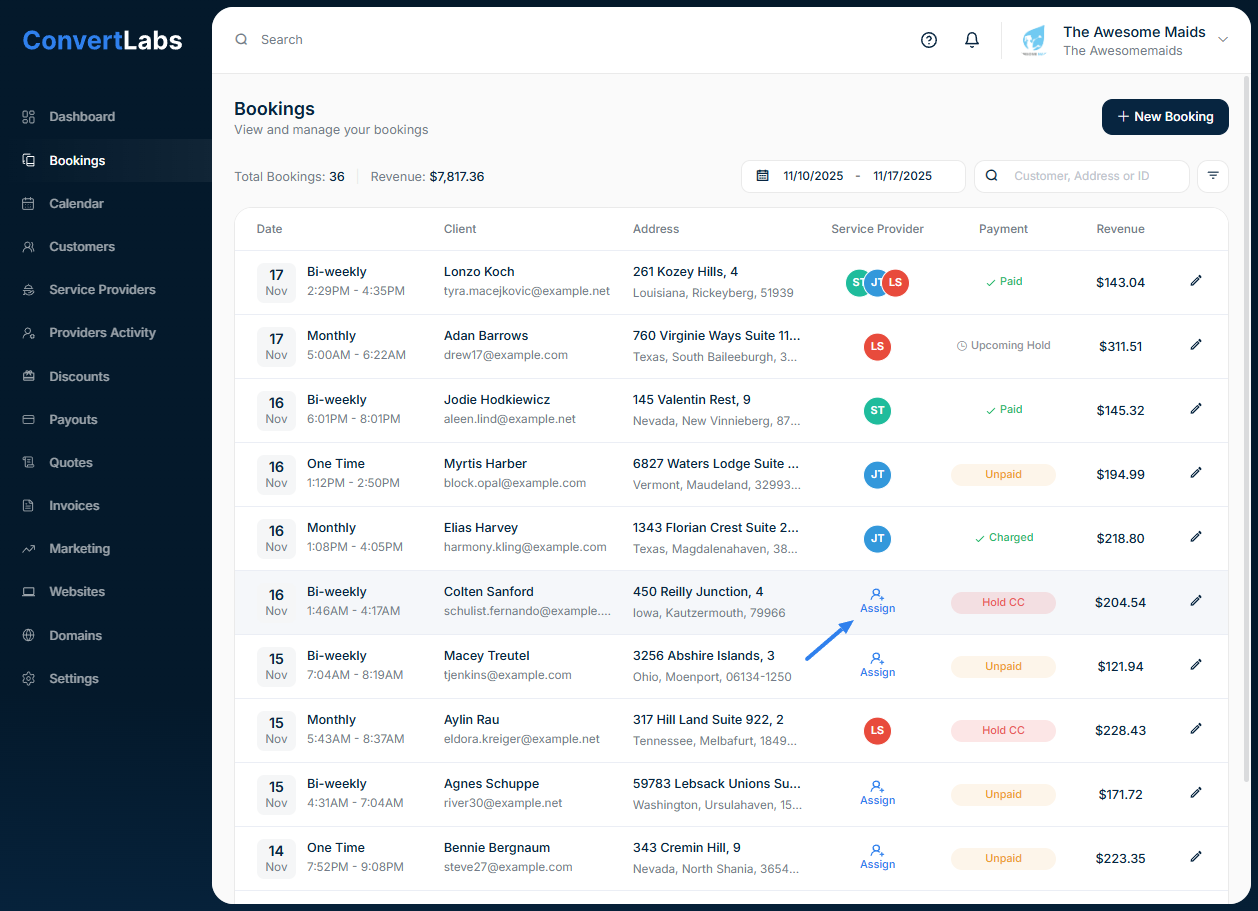
Go to the Bookings List.
-
Click the Assign icon next to the booking.
-
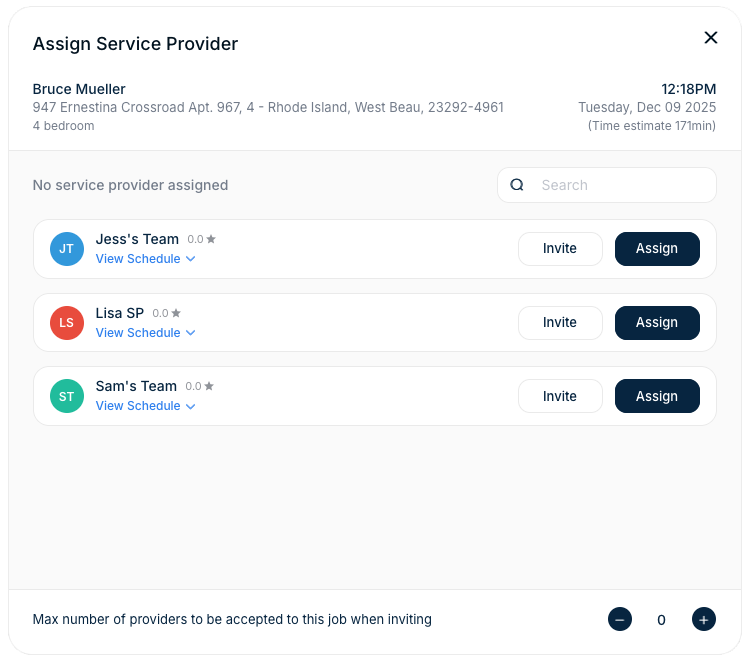
The 'Assign Service Providers' window will appear, showing:
-
A list of available service providers.
-
Options to Invite or Assign each service provider.
- Click "Assign" on the corresponding service provider.
- The service provider will receive a notification with all the booking details, and they can see also see the job on their portal.
Inviting Service Providers
-
In the assign window > Click "Invite" next to the service provider’s name.
-
The service provider will receive an email invitation and see the job in their portal under Open Jobs, including: booking details, notes and options to Accept or Decline.
-
At the bottom of the window, you’ll find an option to limit the number of service providers for that booking.
This is helpful when:
- You send out multiple invitations, or
- Service providers have self-assignment enabled.
You can monitor invitation status in the Bookings view, under the Assign Service Providers window:
-
Accepted → The service provider has confirmed the job.
-
Declined → The service provider declined the invitation.
-
Pending → The serviceprovider hasn’t responded yet.
