Create a Quote
-
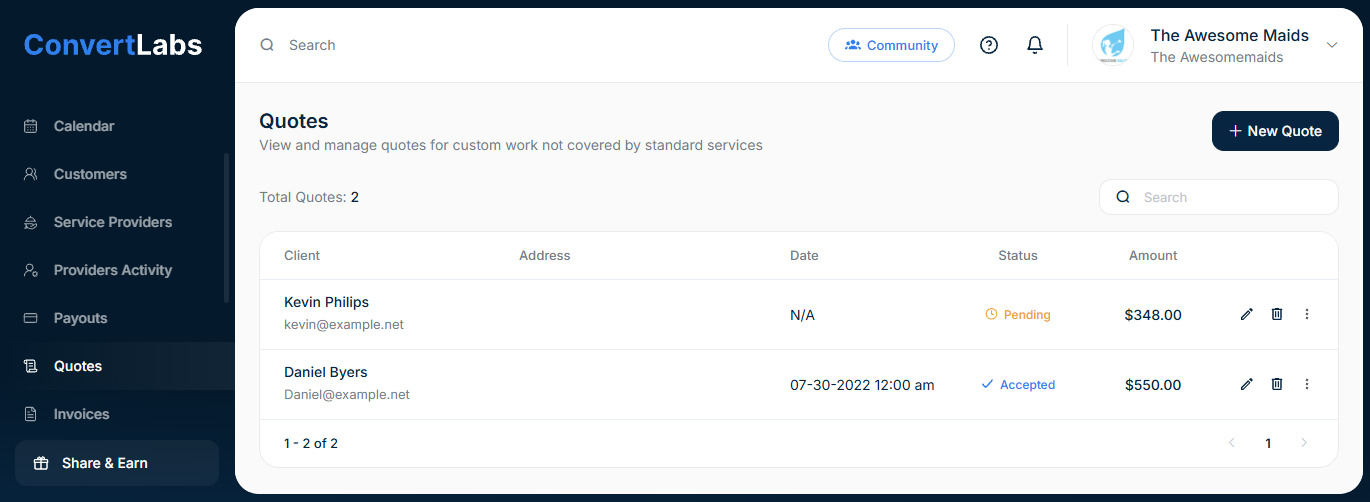
Navigate to Quotes.
-
Click New Quote in the upper-right corner.
-
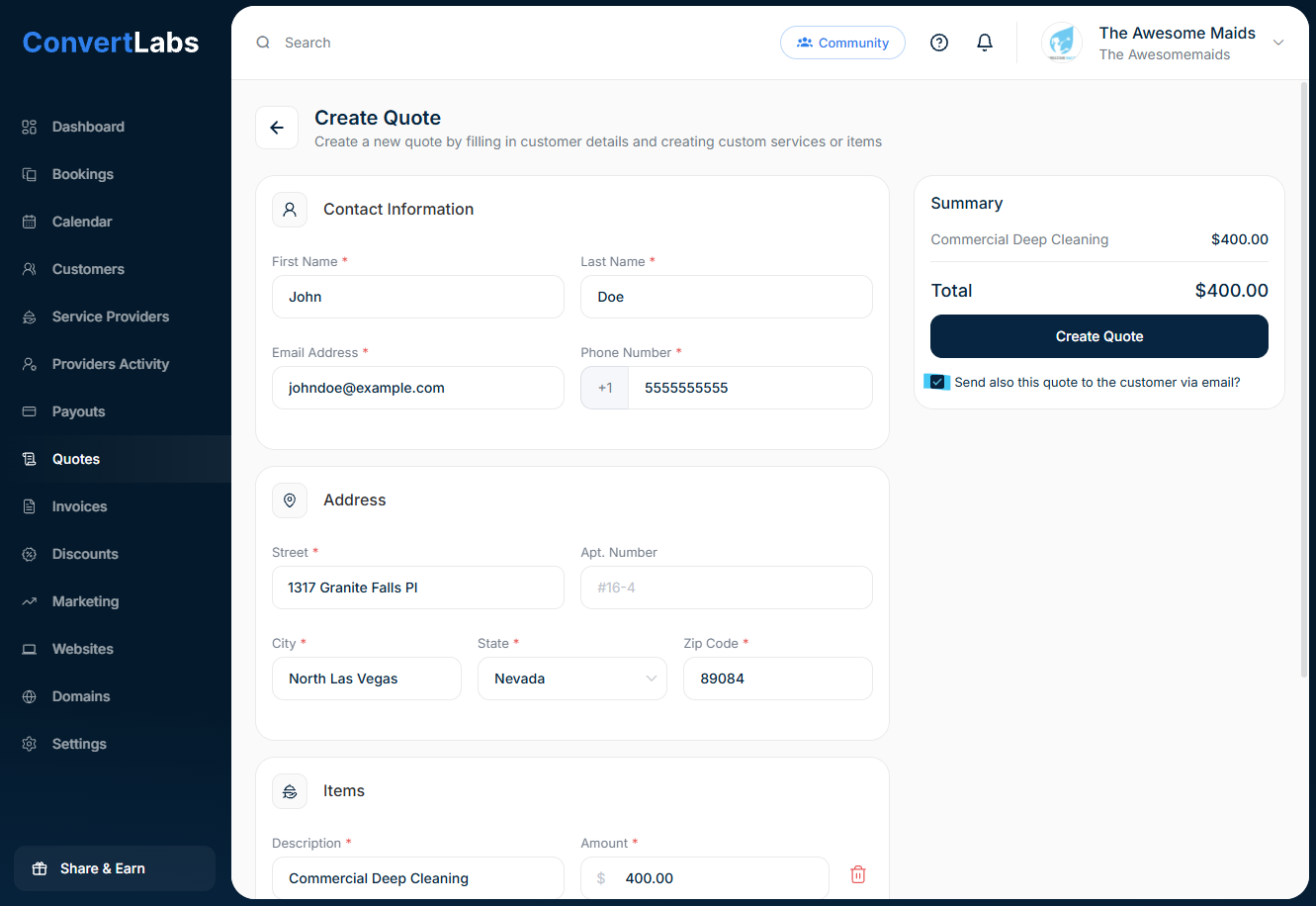
Complete all required fields, including:
-
Client contact information
-
Address
-
Line items (services, products, fees and taxes if applicable)
-
Optional notes or terms
-
-
To send the quote immediately, select the Send to client option.
-
Click Create Quote to finalize.
Once sent, the client receives the quote at the email address specified in their contact information. They can review and accept the quote directly from the email.
Each quote in ConvertLabs has a clear status:
-
Pending – Sent to the client and awaiting a decision.
-
Accepted – Approved by the client.
Once a quote is accepted, you can generate and send an invoice directly from the quote.
