Invoices can be created independently or generated from accepted quotes.
Create an Invoice from Scratch
Create and send an invoice without a prior quote, typically for straightforward charges.
-
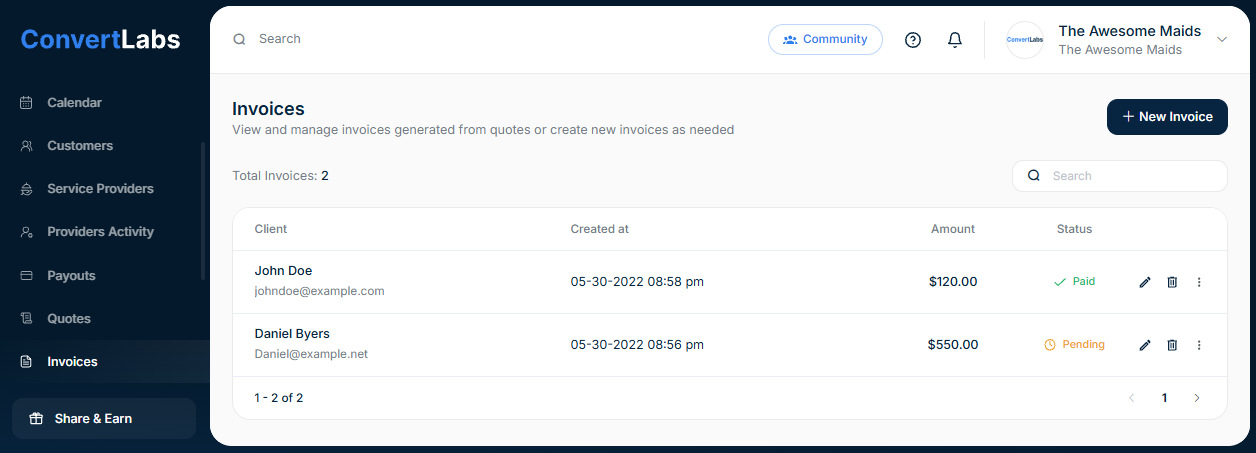
Navigate to Invoices.
-
Click New Invoice in the upper-right corner.
-
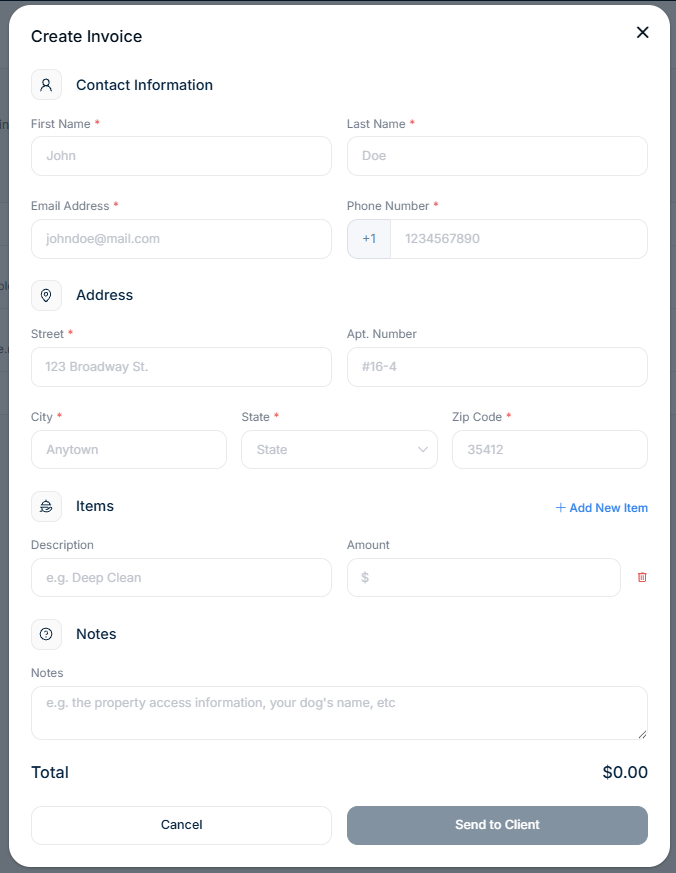
Complete all required fields:
-
Client contact information
-
Address
-
Line items
-
Notes (optional)
-
-
Send the invoice to the client.
The client receives the invoice by email and can immediately enter a payment method and submit payment.
Create an Invoice from an Accepted Quote
Generate an invoice directly from an approved quote to ensure pricing and scope consistency.
-
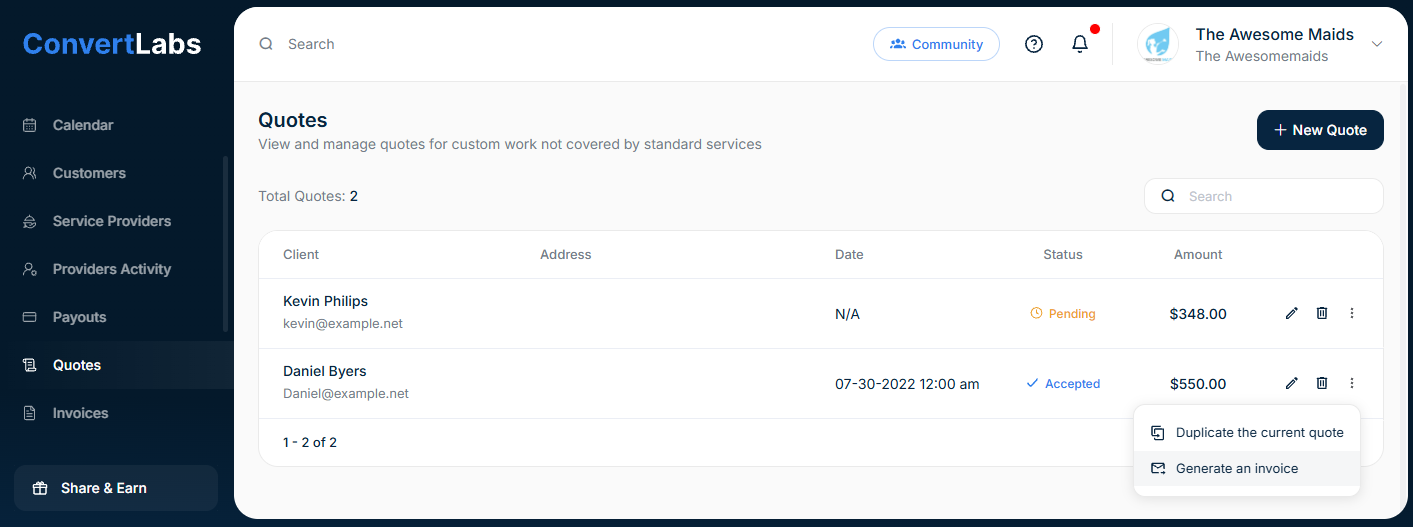
Go to the Quotes view.
-
Click the three-dot menu next to the accepted quote.
-
Select Generate an invoice.
-
Confirm whether the invoice should be emailed to the client.
A notification will confirm that the invoice has been generated and is ready for billing.
Do invoices place a hold on the payment method?
No. Invoices do not place holds. Clients can pay immediately upon receipt.
