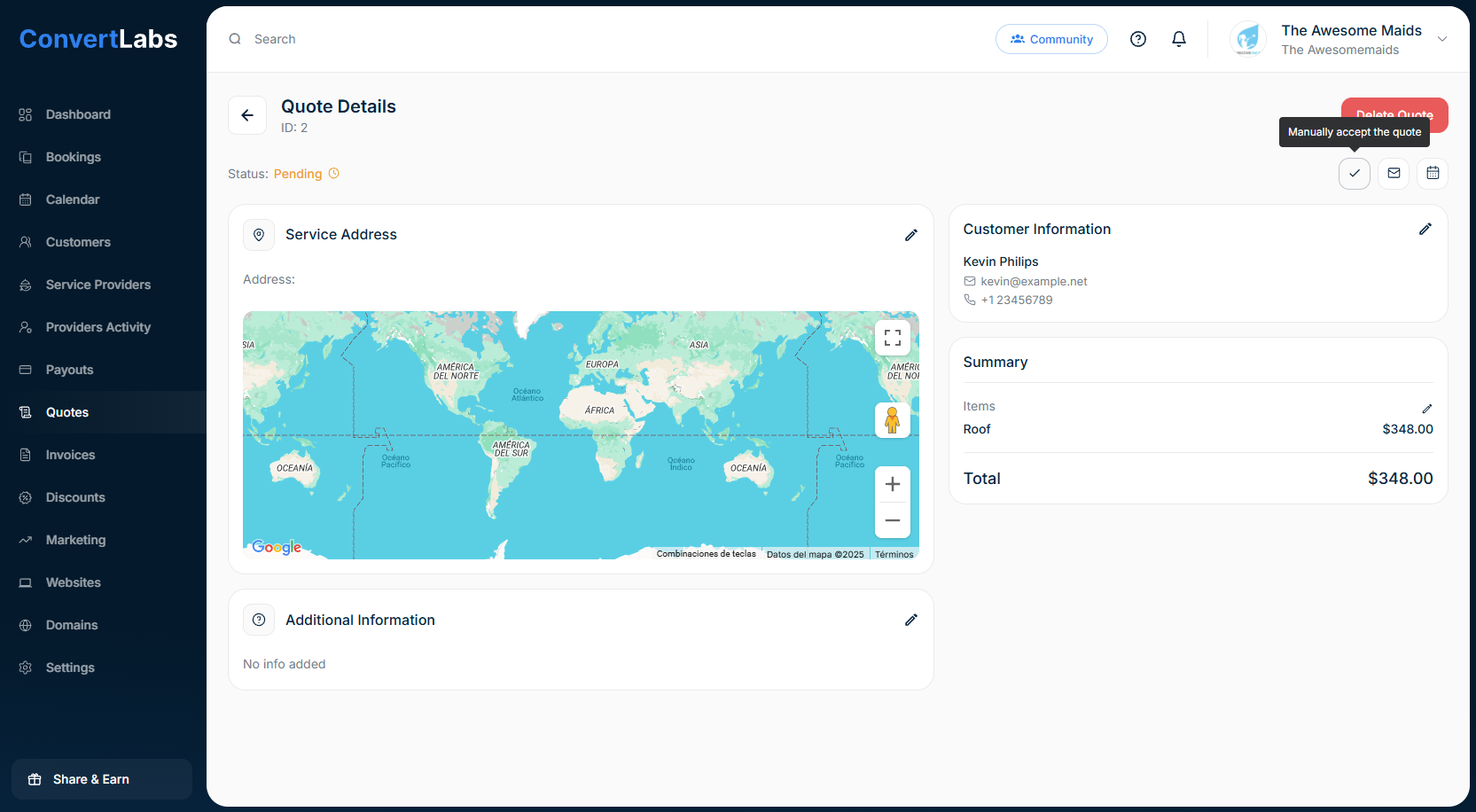
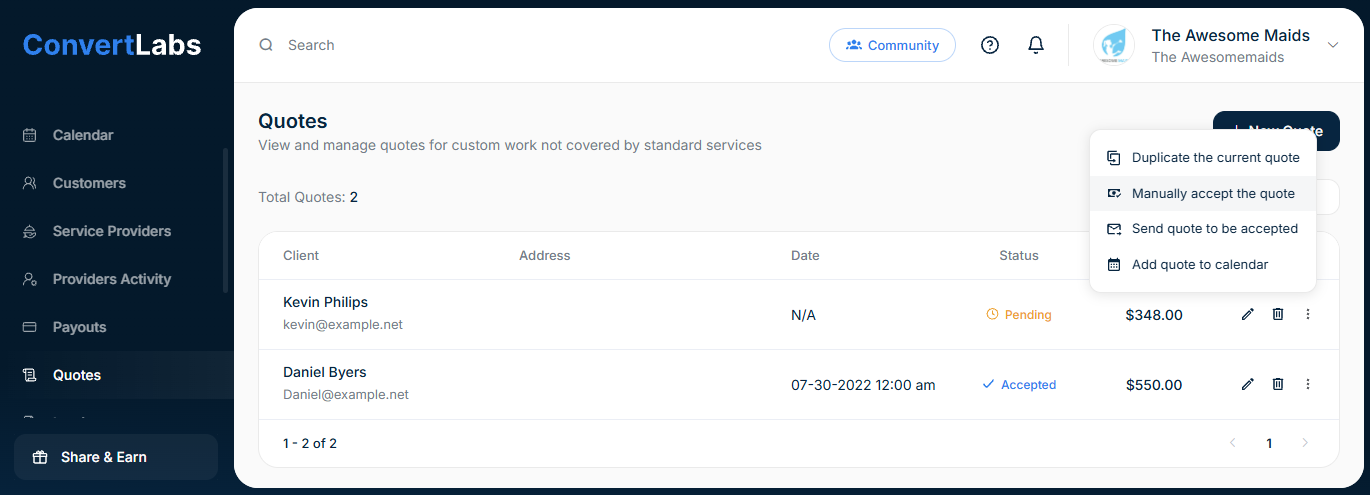
You may manually accept a quote on behalf of a client:
-
Go to the Quotes view.
-
Click the three-dot menu next to the quote.
-
Select Manually accept the quote.
You can also accept the quote from the Quotes view; to do this, simply click on the pencil icon to view or edit, and then click on the check mark icon "Manually accept the quote" at the top right.