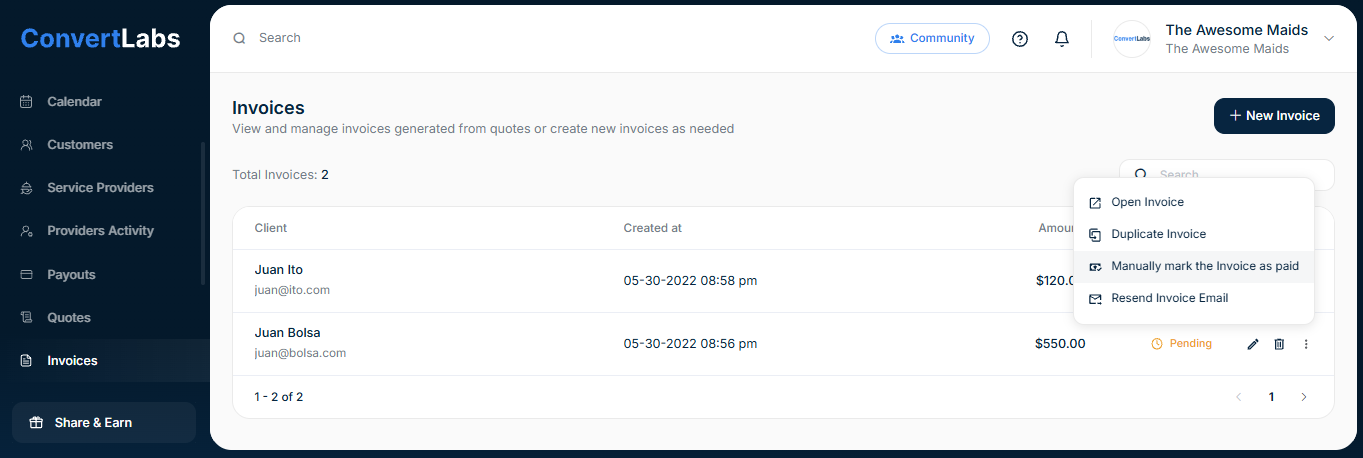
If payment was collected outside of the invoice flow (for example, via a standalone payment), you can manually mark the invoice as paid to avoid double billing.
-
Go to the Invoices view.
-
Click the three-dot menu next to the invoice.
-
Select Manually mark the invoice as paid.
Note: Standalone payments cannot be linked directly to invoices or bookings.
