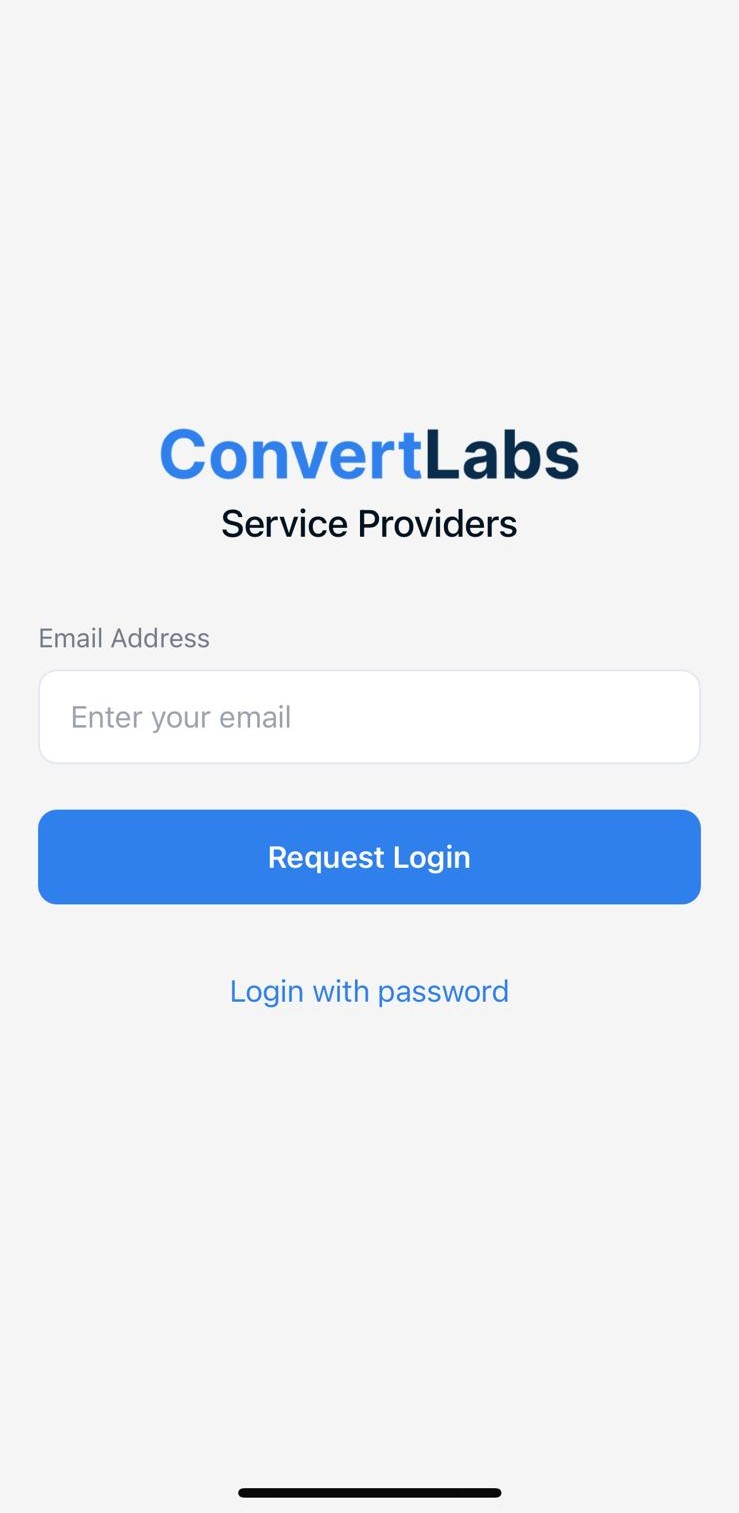
How to log in:
-
Open the app.
-
Enter your email address.
-
Tap Request Login.
-
Open your email and click Open Portal.
-
You will be logged in automatically.
If the service provider cannot download the app, they can still open the portal in a browser, though some features may be more limited.
If login issues persist, feel free to contact us via chat or email at hello@convertlabs.io.
Sending the Login Link Manually (Company Admin)
If a provider is having trouble logging in, you can send them their login link directly.
To generate the link:
-
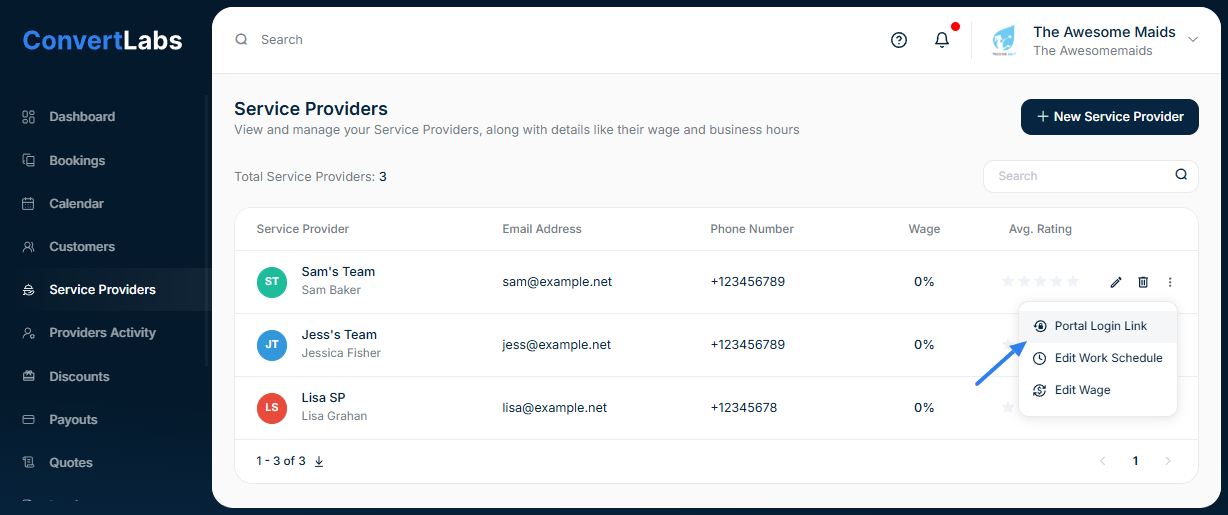
In your admin dashboard, go to Service Providers.
-
Click the three dots next to the provider’s name.
-
Select Portal login link.
-
Click the paper icon to copy it or click the button 'Send link via Email/SMS'.
-
Share the link with the provider via your preferred method.
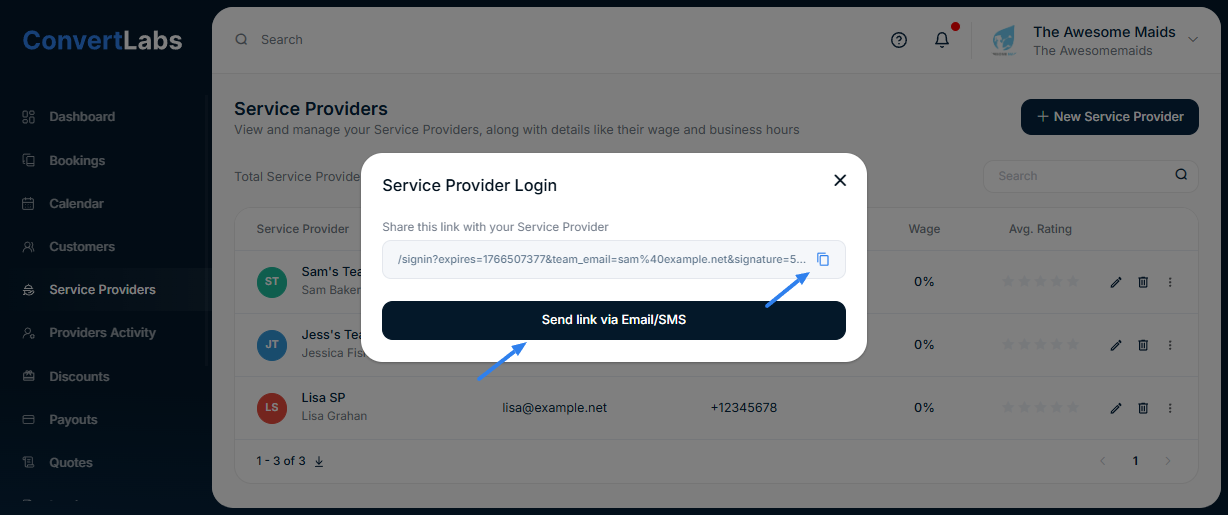
When they click the link, it will open the app (if installed) or load the portal in their browser.
