The Service Providers Activity view gives you real-time visibility into the status of today’s bookings and the actions taken by your Service Providers. This helps you track progress, identify delays, and ensure operations are running smoothly throughout the day.
You can switch between two layouts:
-
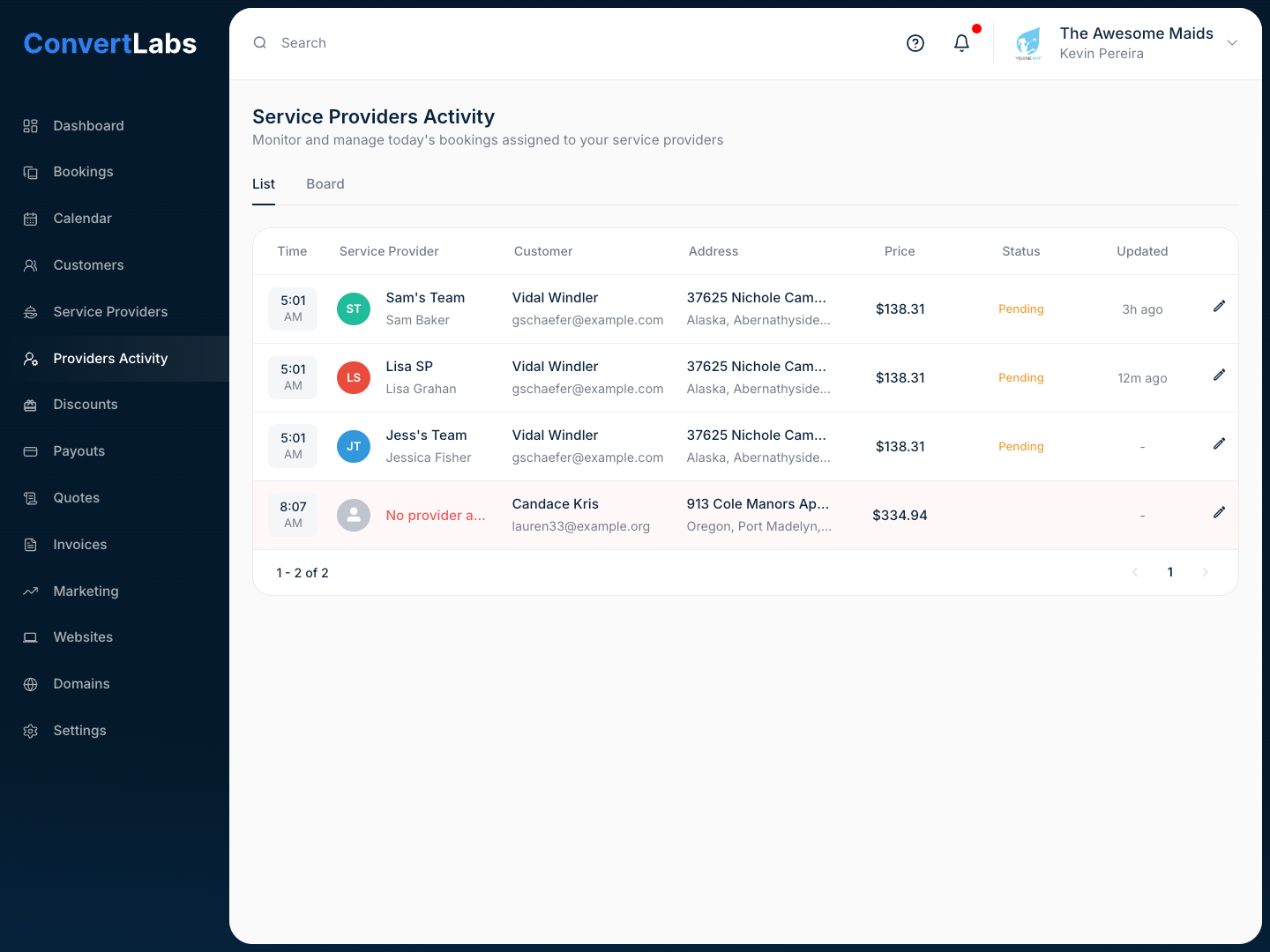
List View: Ideal for quickly scanning detailed booking information such as customer name, service date, address, total price, and assigned Service Provider.
-
Board View: A visual layout that groups bookings by status, making it easy to see how many jobs are pending, in progress, or completed at a glance.
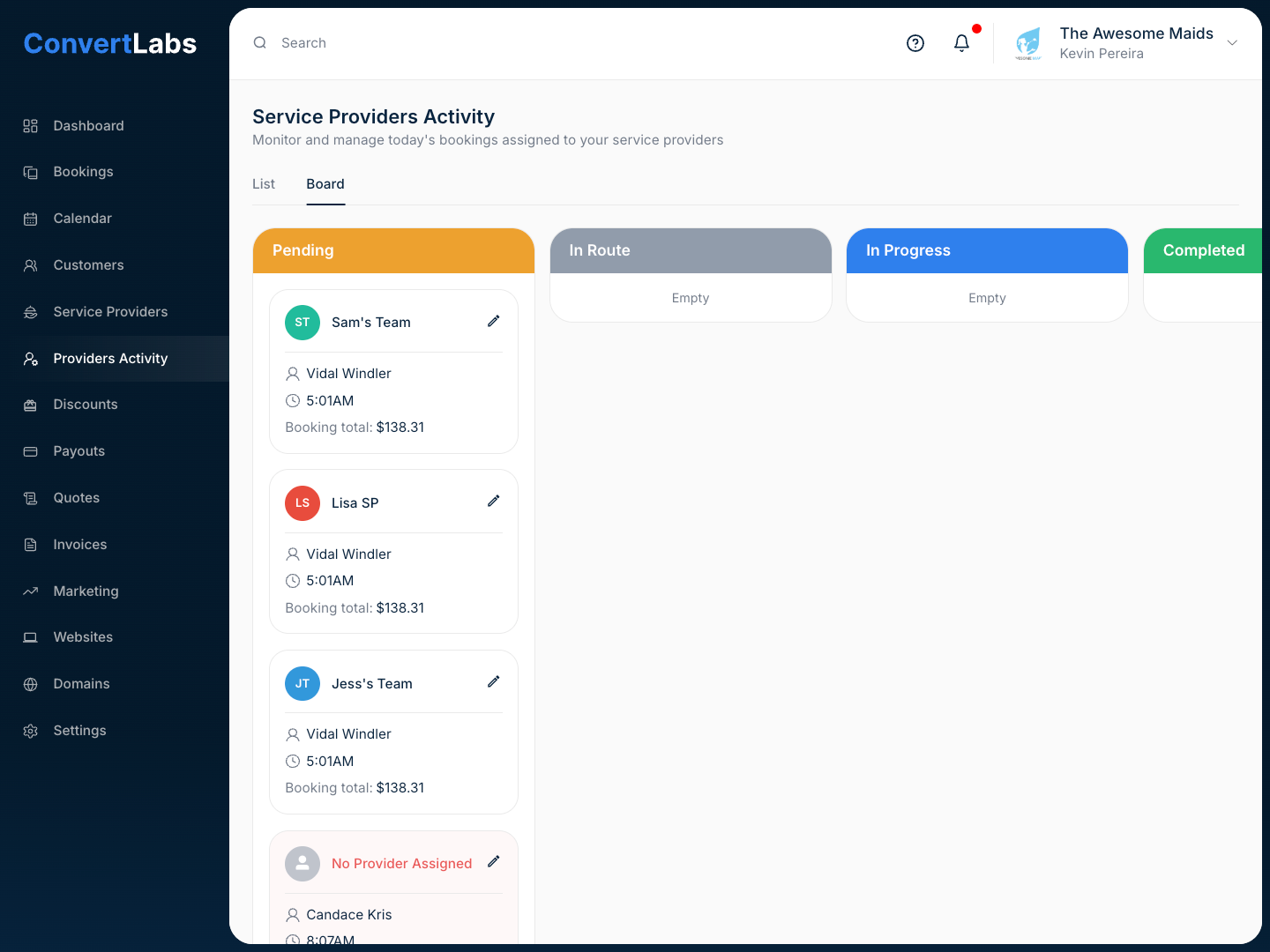
Each booking also shows how long ago its status was last updated, allowing you to monitor activity in real time.
The system supports the following statuses:
-
Pending: The Service Provider has not yet taken any action on the booking.
-
In Route: The Service Provider has indicated through the portal or mobile app that they are on their way or running late.
-
In Progress: The Service Provider has checked in and started the job.
-
Completed: The Service Provider has checked out after finishing the work.
All statuses are continuously synchronized with the Service Provider portal and mobile app, ensuring you always see the most up-to-date information without needing to refresh the page.
