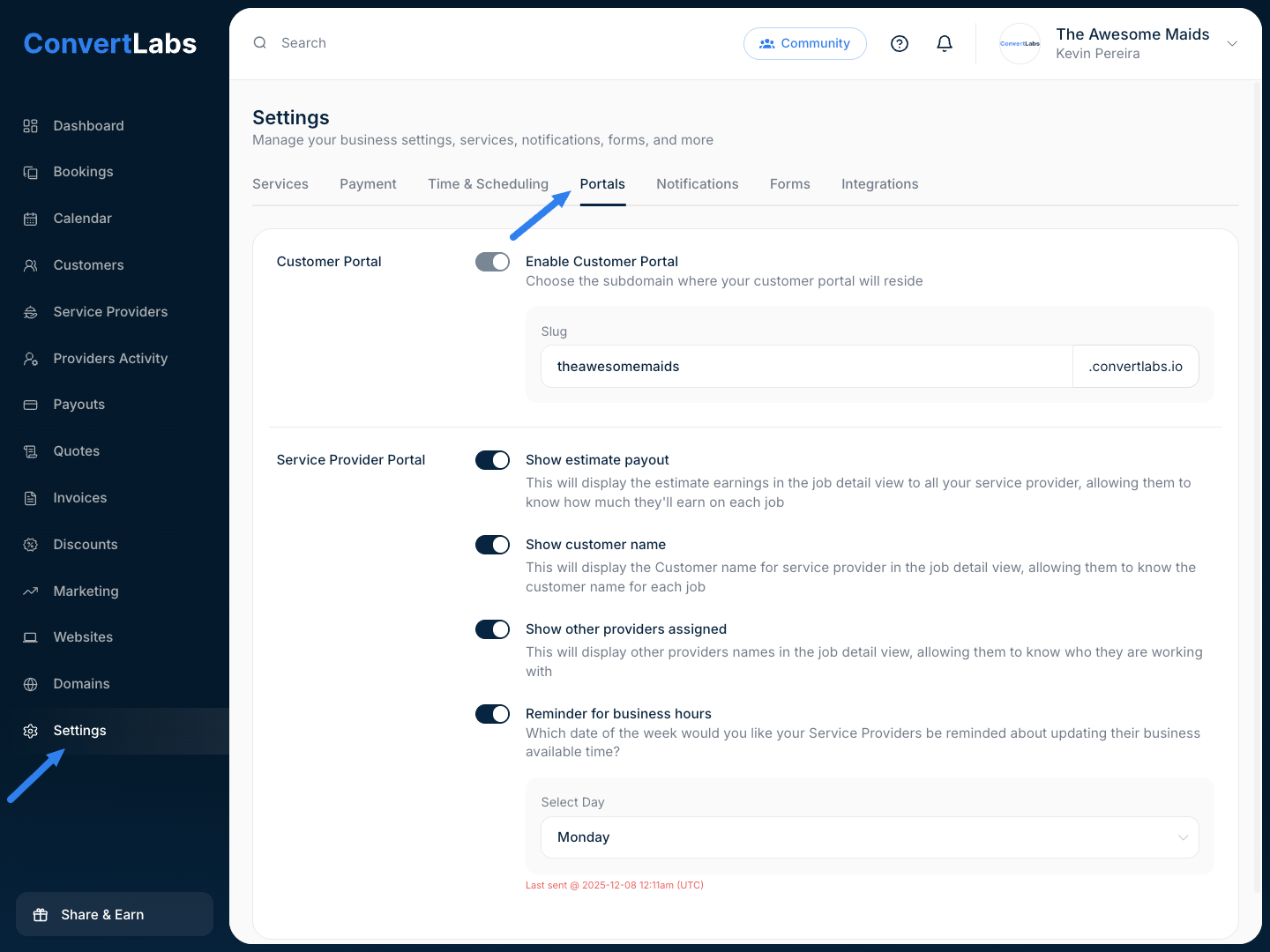
From the portal, Service Providers can view their assigned jobs and invitations, along with key booking details such as estimated payout, customer name, and other assigned Service Providers. You can also schedule a reminder prompting them to update their availability for the current and upcoming week.
If you want to customize what Service Providers can see, go to Settings > Portals > Service Providers Portal. You’ll find the following options:
- Show estimated payout
Displays the estimated earnings for each job so Service Providers know how much they can expect to earn. - Show customer name
Shows the customer’s name in the job details for each Service Provider. - Show other assigned providers
Displays the names of other Service Providers assigned to the same job. - Reminder for business hours
Select the day of the week on which Service Providers should receive a reminder to update their available hours.