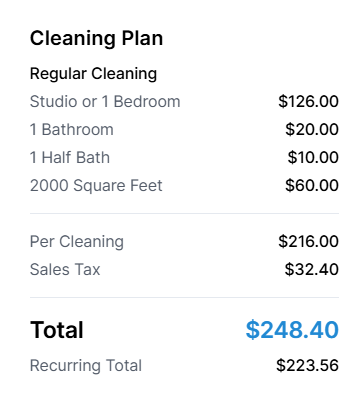
Activate your sales tax if required where you provide your services.
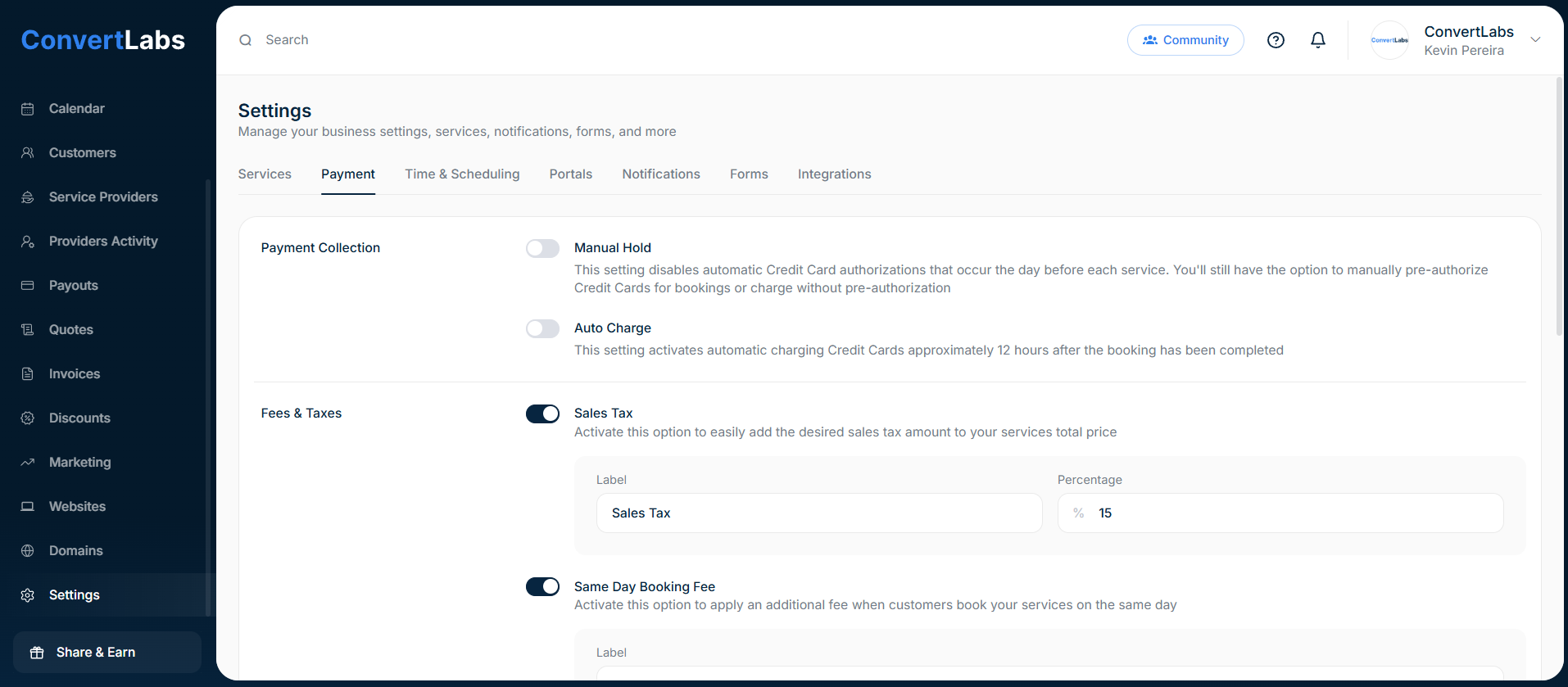
To active the Sale Tax:
- Go to Settings.
- Go to the Payment tab.
- And in the Fee & Taxes, toggle the switch of the Sales Tax setting.
- Enter the label and percentage.
Once enabled, your booking form automatically calculates the Sales Tax on the total price of the selected services: