To active the Same Day Booking Fee:
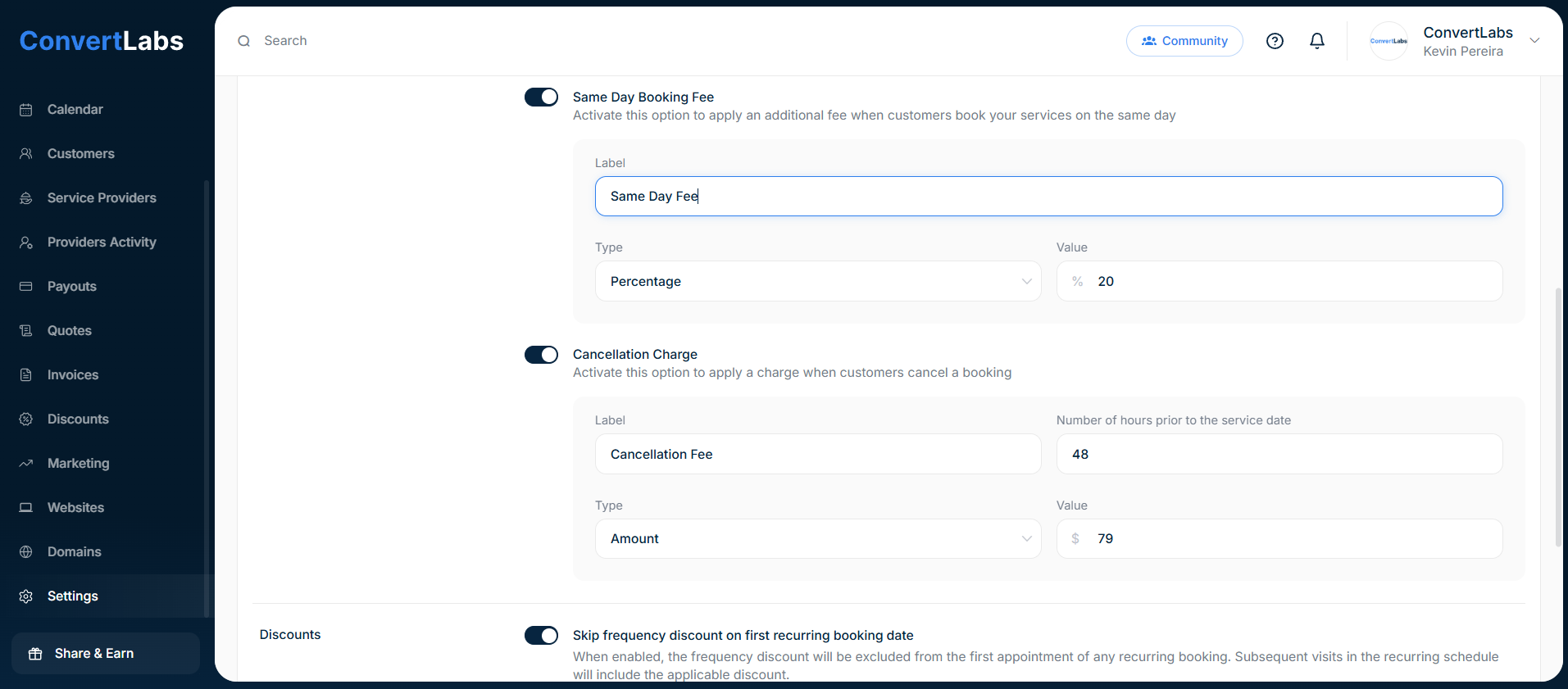
- Go to Settings.
- Go to the Payment tab.
- And in the Fee & Taxes, toggle the switch of the Same Day Booking Fee
- Enter the label.
- You can choose percentage or amount, then enter the value.
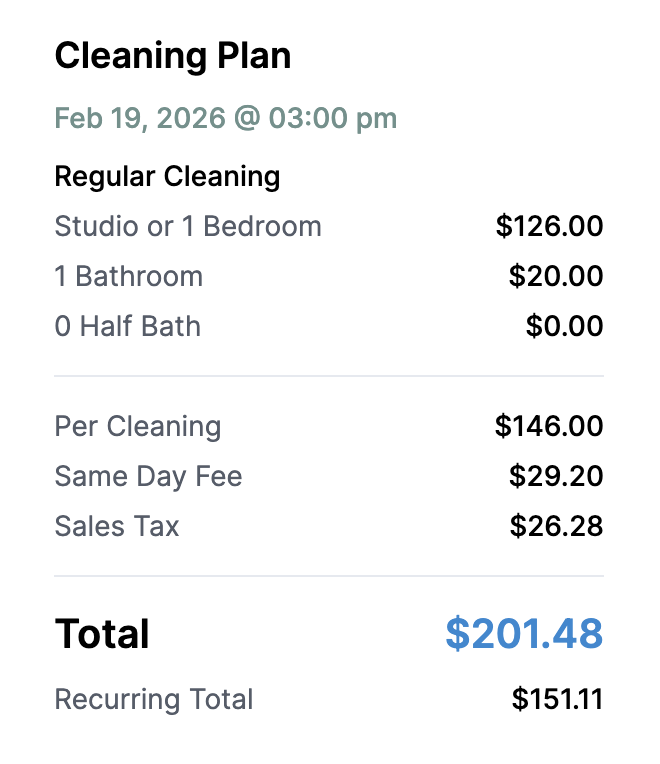
When this setting is enabled, the system will automatically apply your configured same-day booking fee to any reservation created for the current date.
If a customer selects a timeslot for the same day, the additional fee will be added in real time and clearly displayed in the booking summary before checkout, ensuring full pricing transparency.