Access the Blog Page Editor
- Log in to your website dashboard.
- Navigate to Pages.
- Locate Blog, hover over it, and select Edit Page.
- From the page editor, you can modify the primary Blog page elements, including:
- Banner background image
- Page title
- Page subtitle
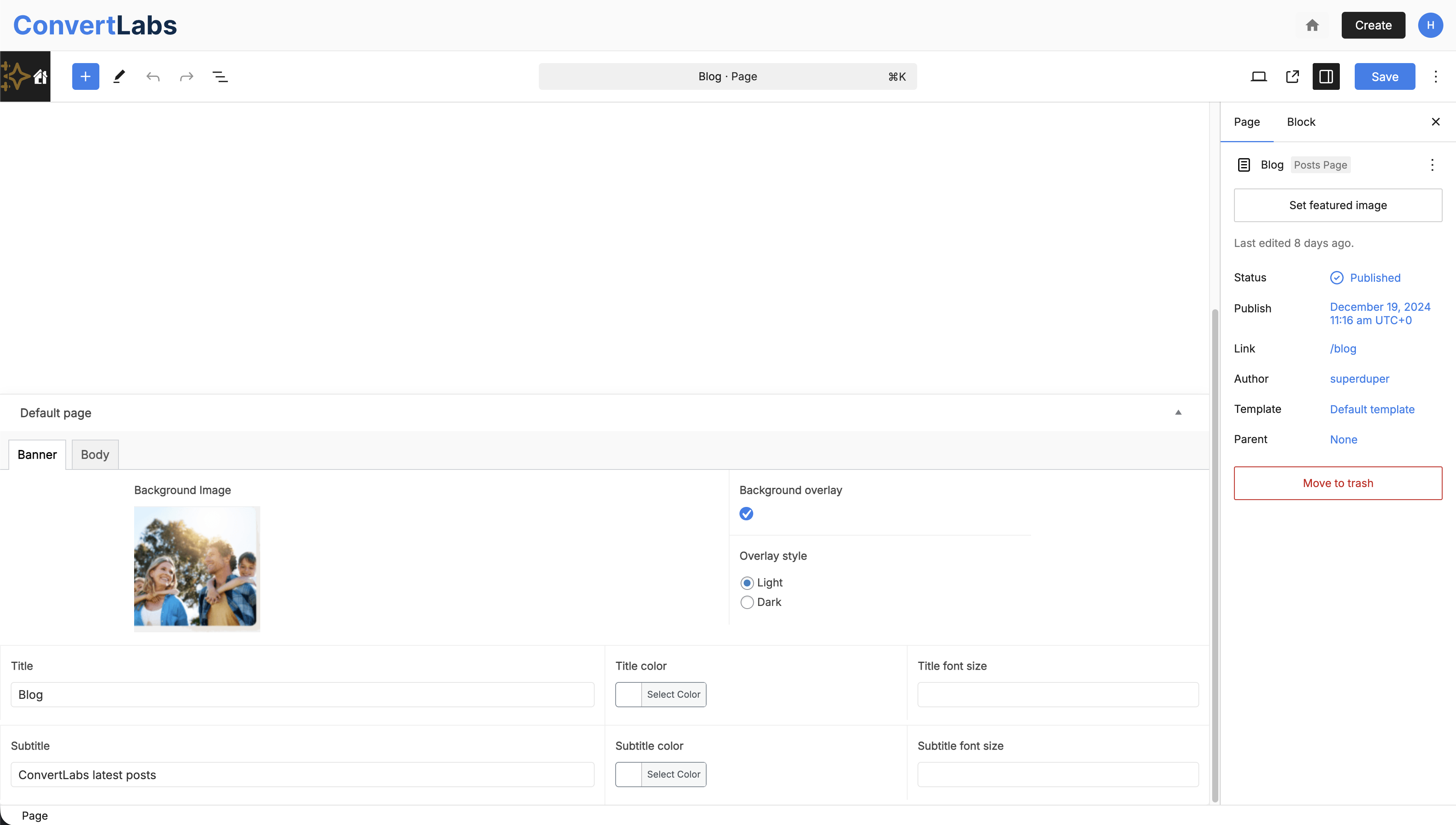
After applying your changes, click Save and you can also click View Page (arrow icon) to preview the Blog page and confirm that updates are displayed correctly.
Customize Blog Layout and Sidebar
To configure additional Blog page components:
- Select Customize from the top editor toolbar.
- Open Blog or Blog Sidebar settings.
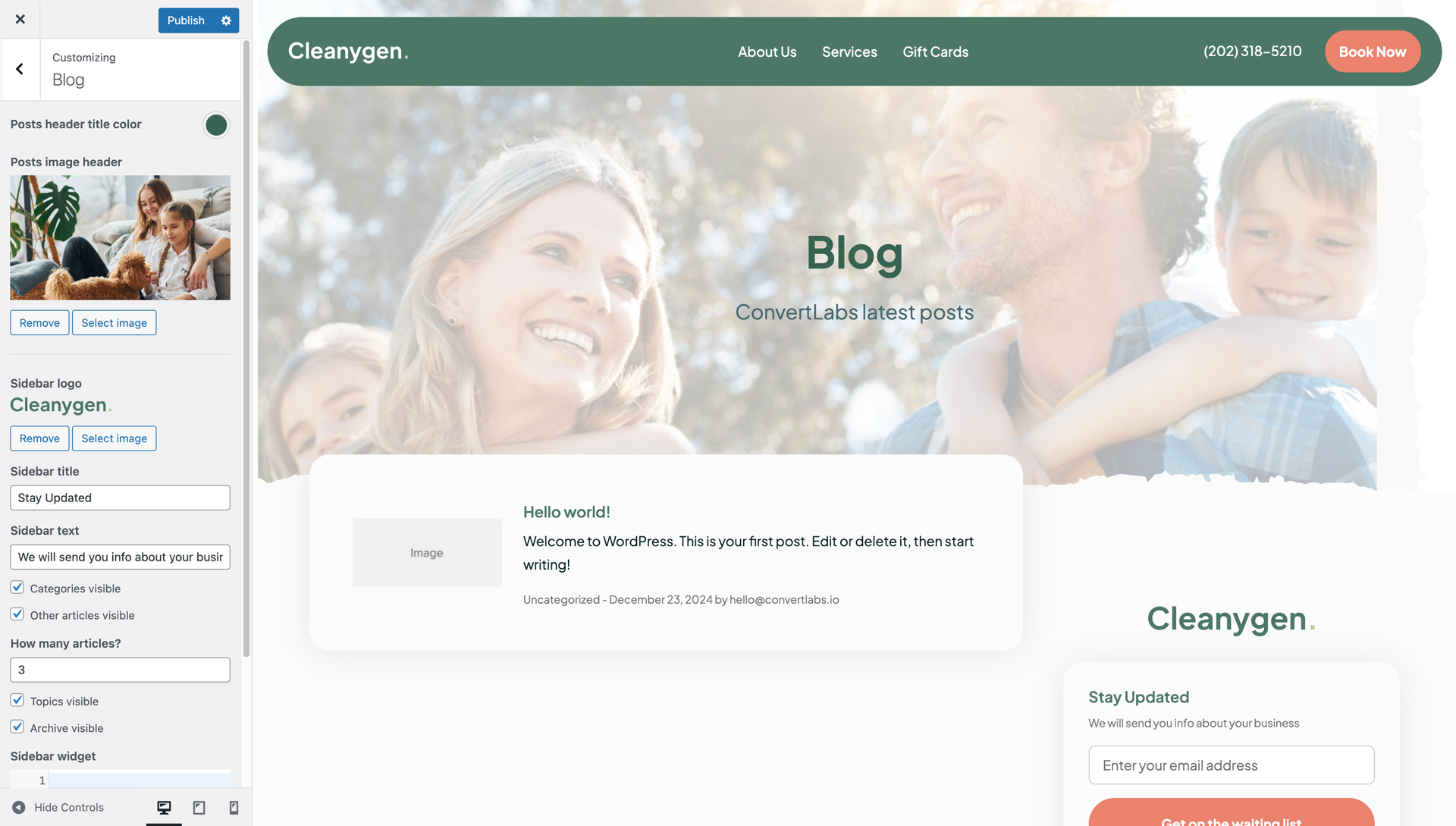
From these panels, you can:
- Update the blog post banner appearance.
- Configure sidebar elements such as:
- Logo
- Title
- Sidebar text - Enable or disable sidebar components, including:
- Categories
- Recent articles
- Topics
- Archives - Add or remove widgets.
These settings control the overall structure, visibility, and functionality of the Blog page.
