You can customize both the page banner and the contact details directly from the page editor.
Edit the Contact Page
- From your website dashboard, navigate to Pages.
- Locate the Contact page and click Edit Page.
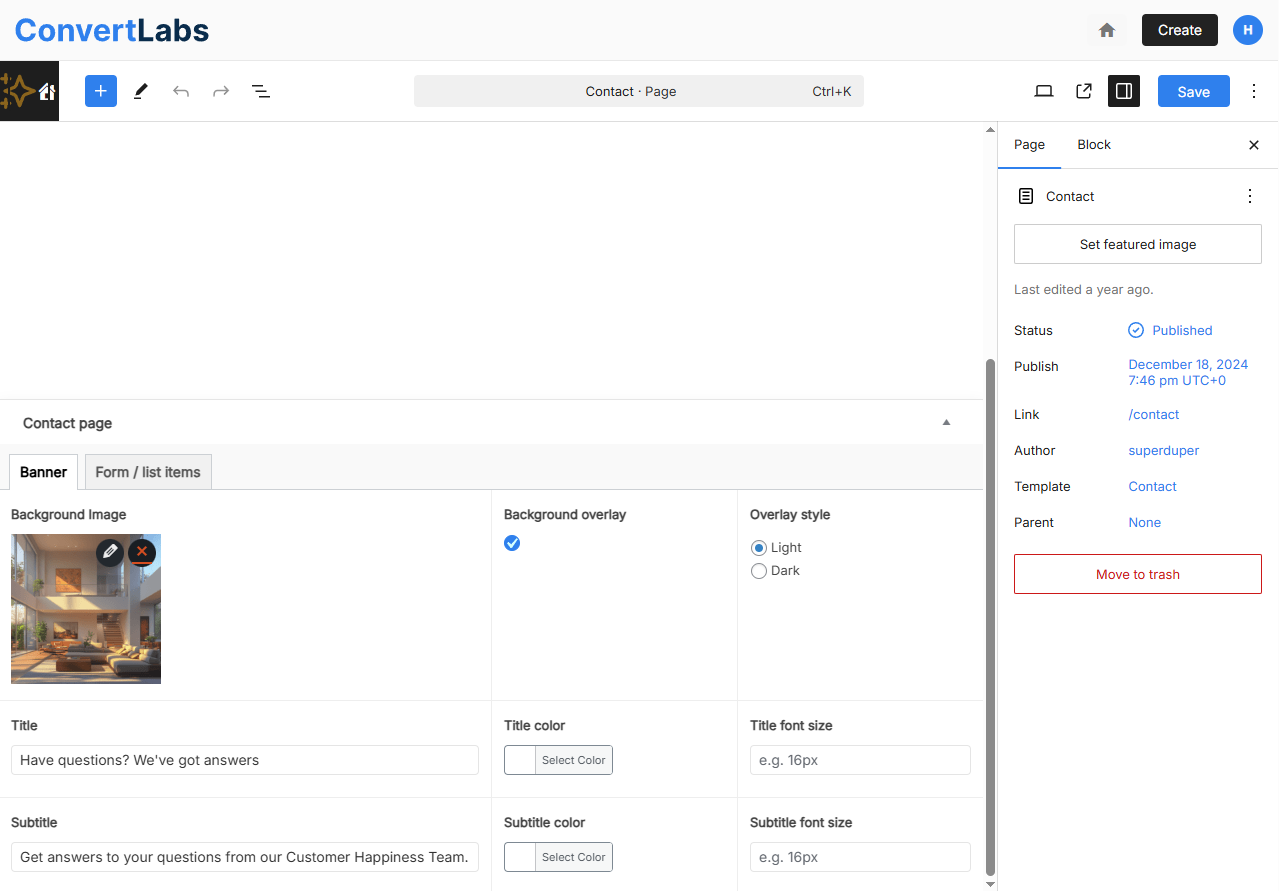
- In the editor, you will see two tabs with custom fields:
- Banner
- Form / List Items
Edit the Banner
- Open the Banner tab.
- Update the background image, if needed.
- Enter or modify the title and subtitle.
- Adjust the text colors to match your design preferences.
Edit the Form and List Items
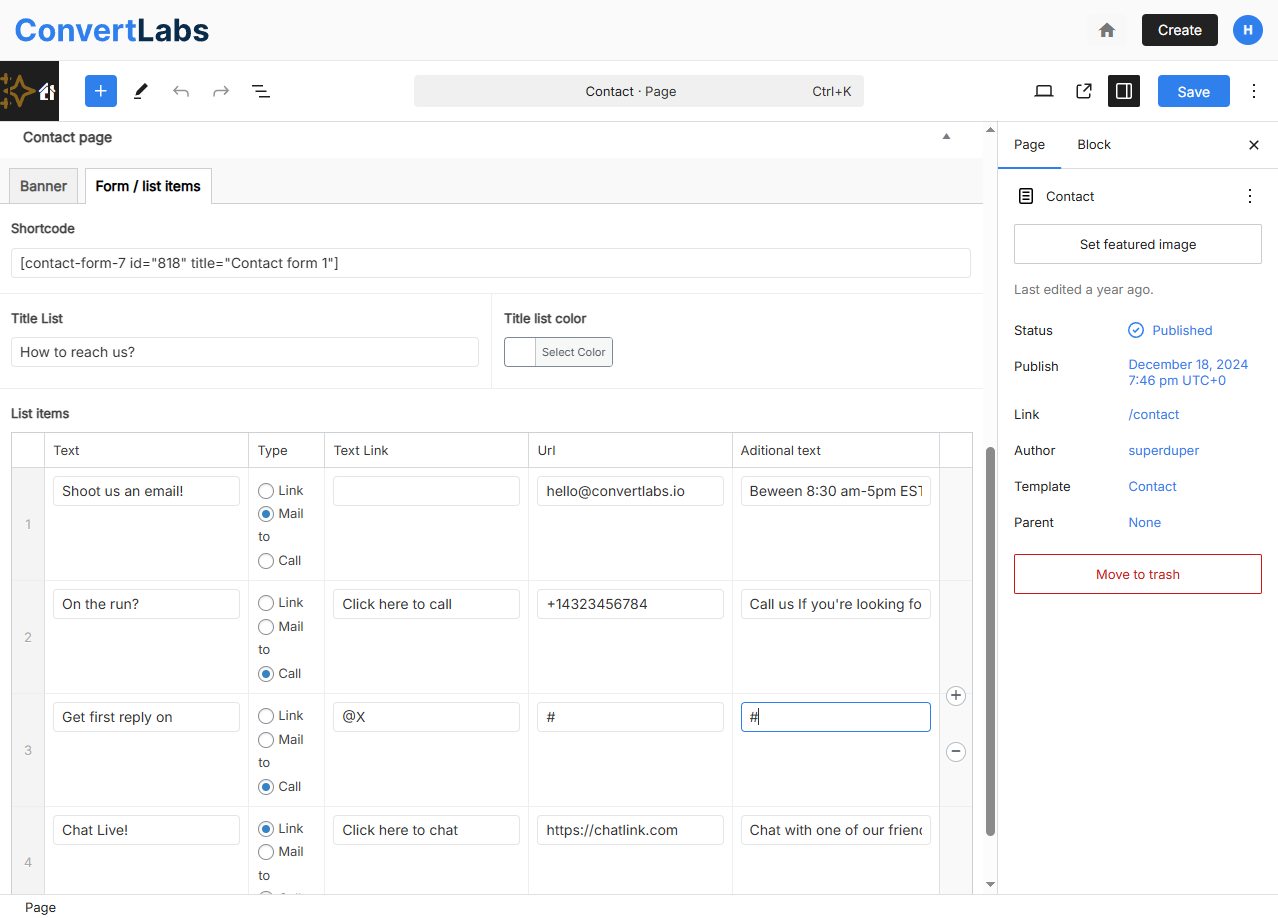
- Open the Form / List Items tab.
- Locate the form shortcode field. If you are not familiar with shortcodes, it is recommended not to modify this field unless you intend to remove the form entirely.
- Below the shortcode, you will find custom fields for the list title and list items.
- Each list item includes the following fields:
Text: The main label.
Type: Select one of the following options: 'Link', 'Email To' or 'Call'.
Link Text: The text displayed to visitors, for example, 'Click here to call'.
URL: The destination link, email address, or phone number (depending on the selected type), for example, +10123456789
Additional Text: Optional description or more information. - Replace the default content with your own contact information as needed.
Add or Remove List Items
- To add a new contact item, click Add Row.
- To remove an existing item, hover over the row and click Remove Row (minus icon).
Save and Review Changes. Click the preview icon (next to the laptop icon) to open the page in a new tab. Review the page and make any additional adjustments if necessary.
Configure the Contact Form: To configure or customize the contact form itself, refer to the dedicated help article on setting up your contact form.
