FAQs are managed independently from regular website pages and have their own dedicated section in the dashboard.
Accessing FAQs
- Log in to your website dashboard.
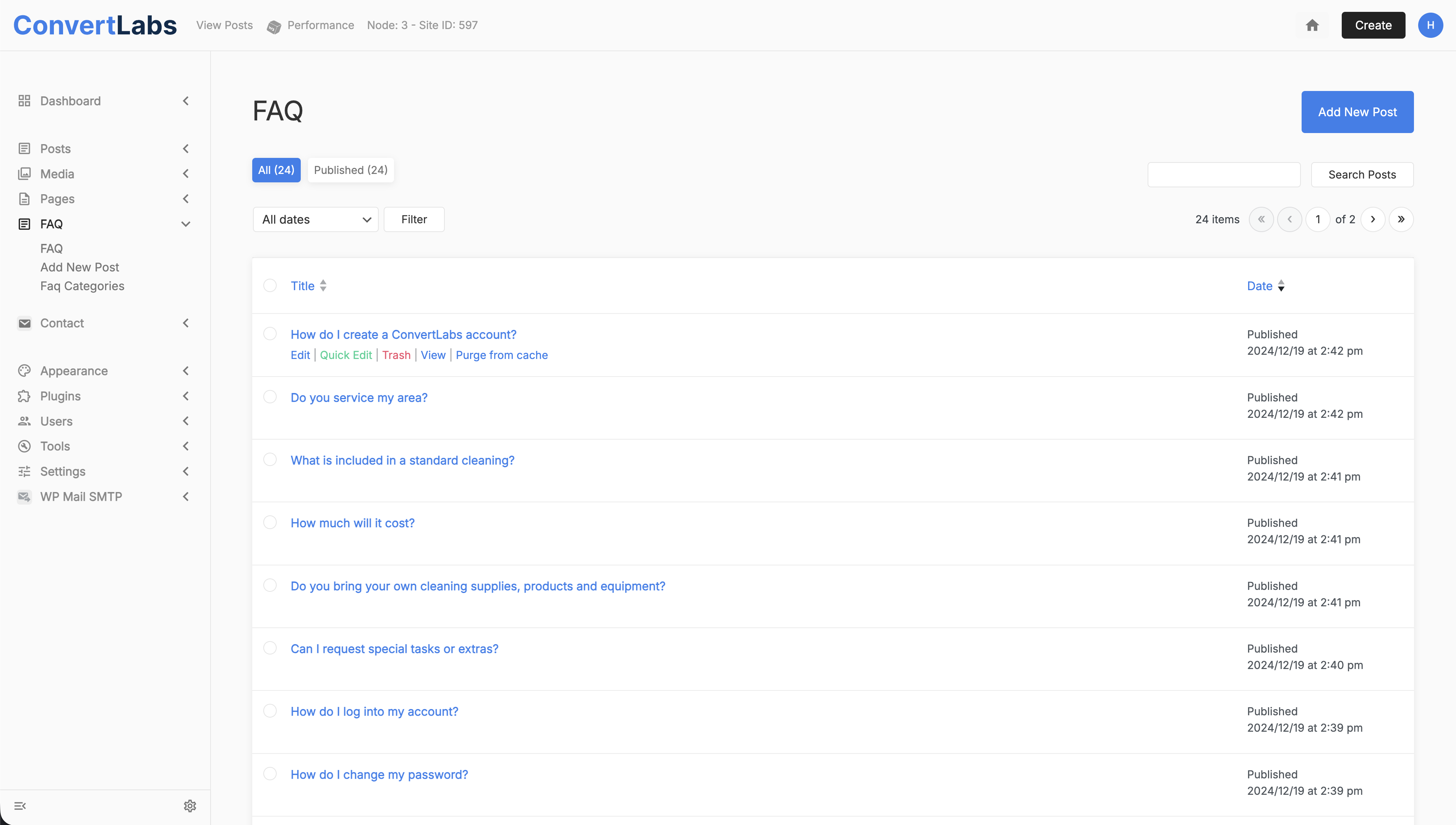
- In the main menu, navigate to the FAQ section.
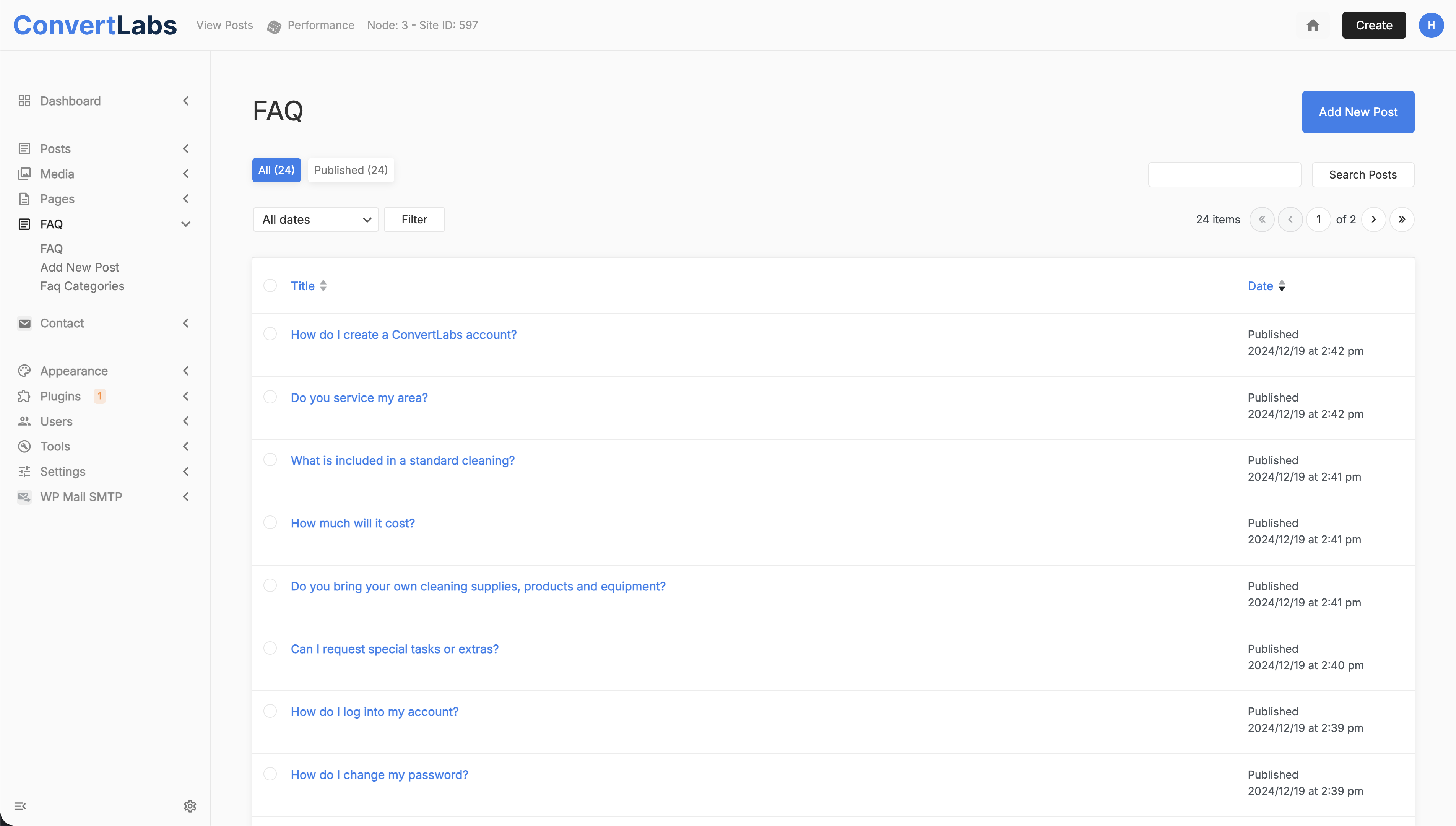
- From here, you can edit existing FAQs, create new questions, or manage Faq categories.
Managing FAQ Categories
Faq categories help organize questions on the Help Page. To edit a category:
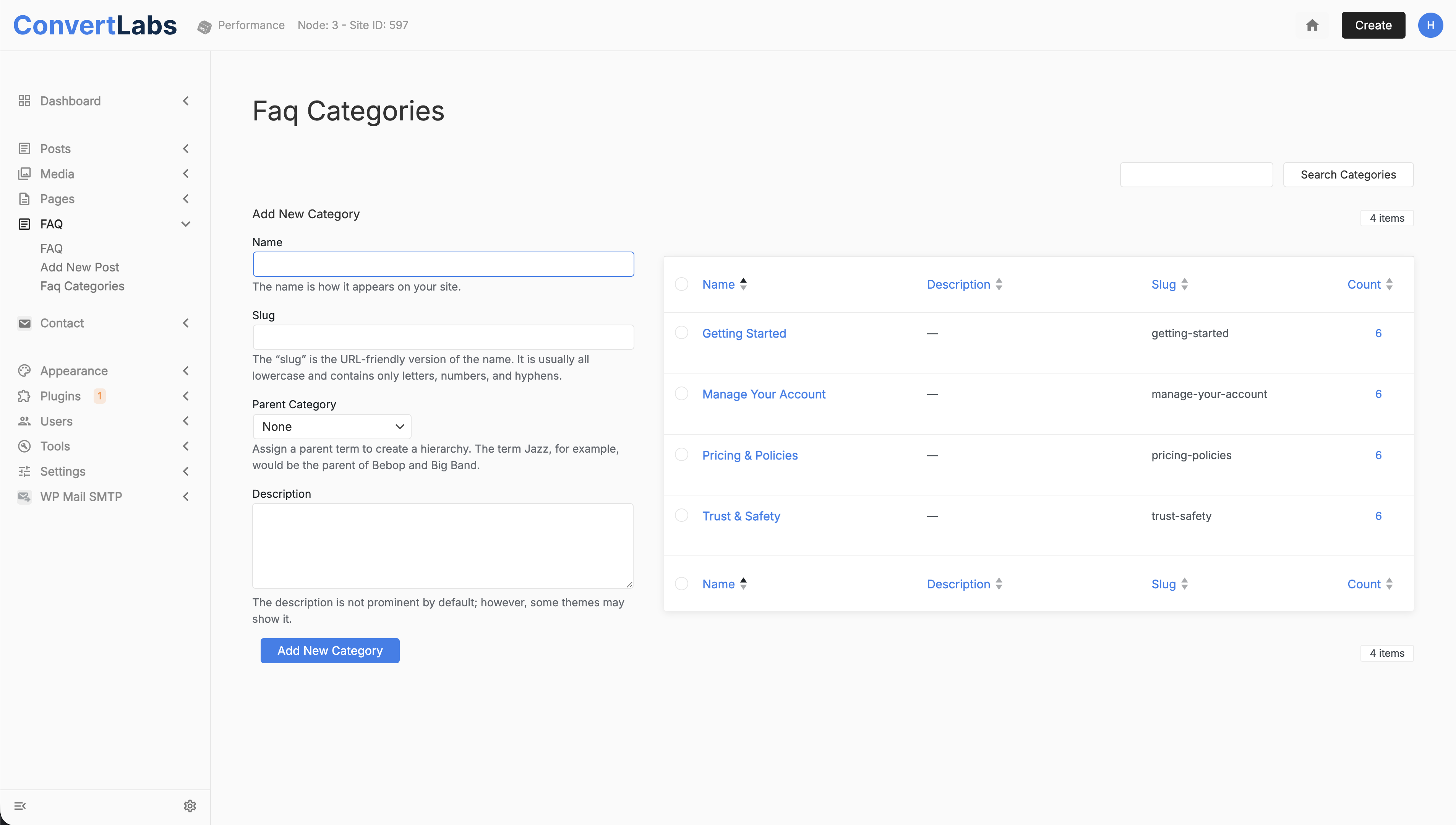
- Go to Faq Categories.
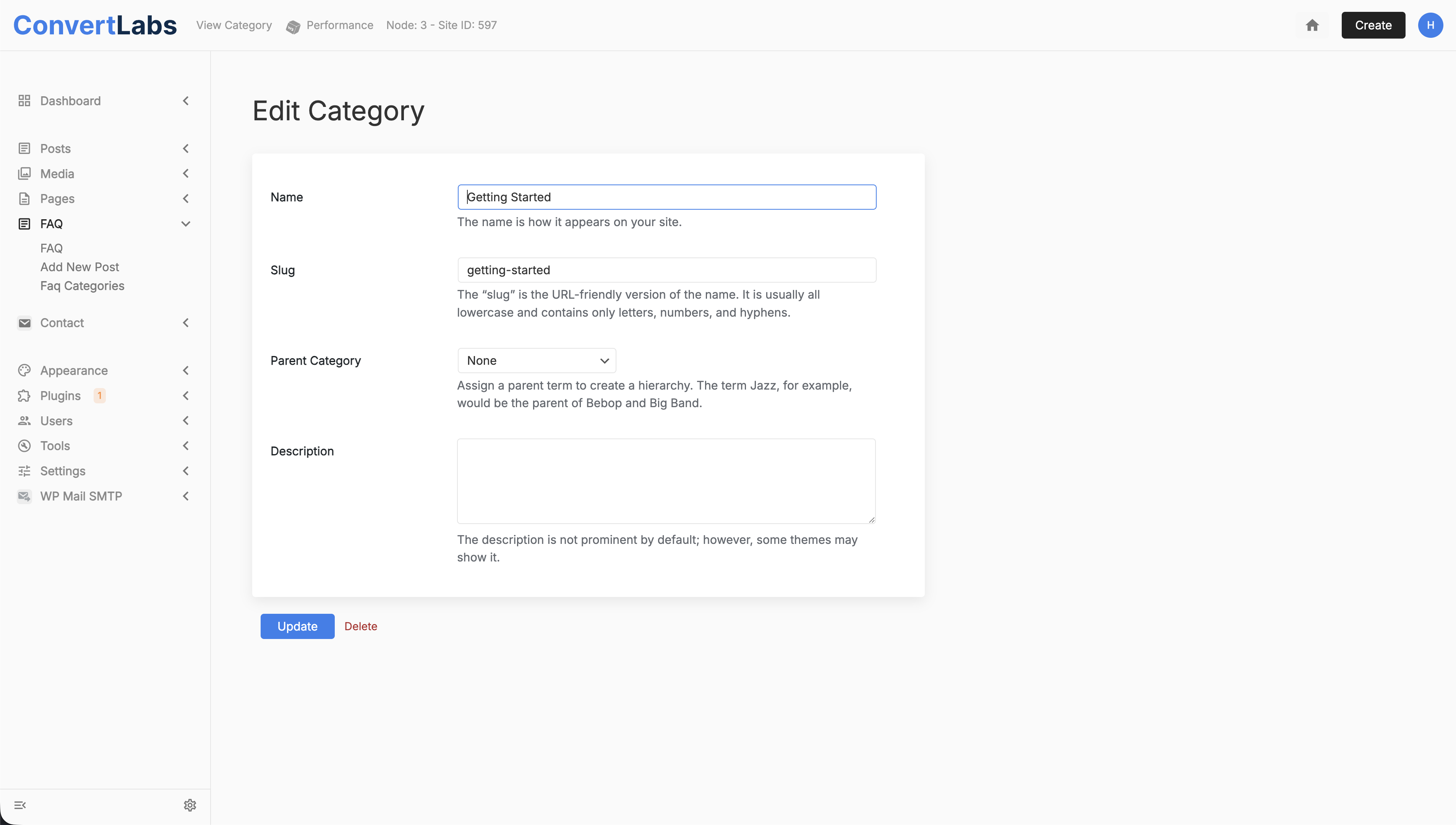
- Hover over the category name and click Edit.
- Update the Name and Slug as needed.
- Save your changes.
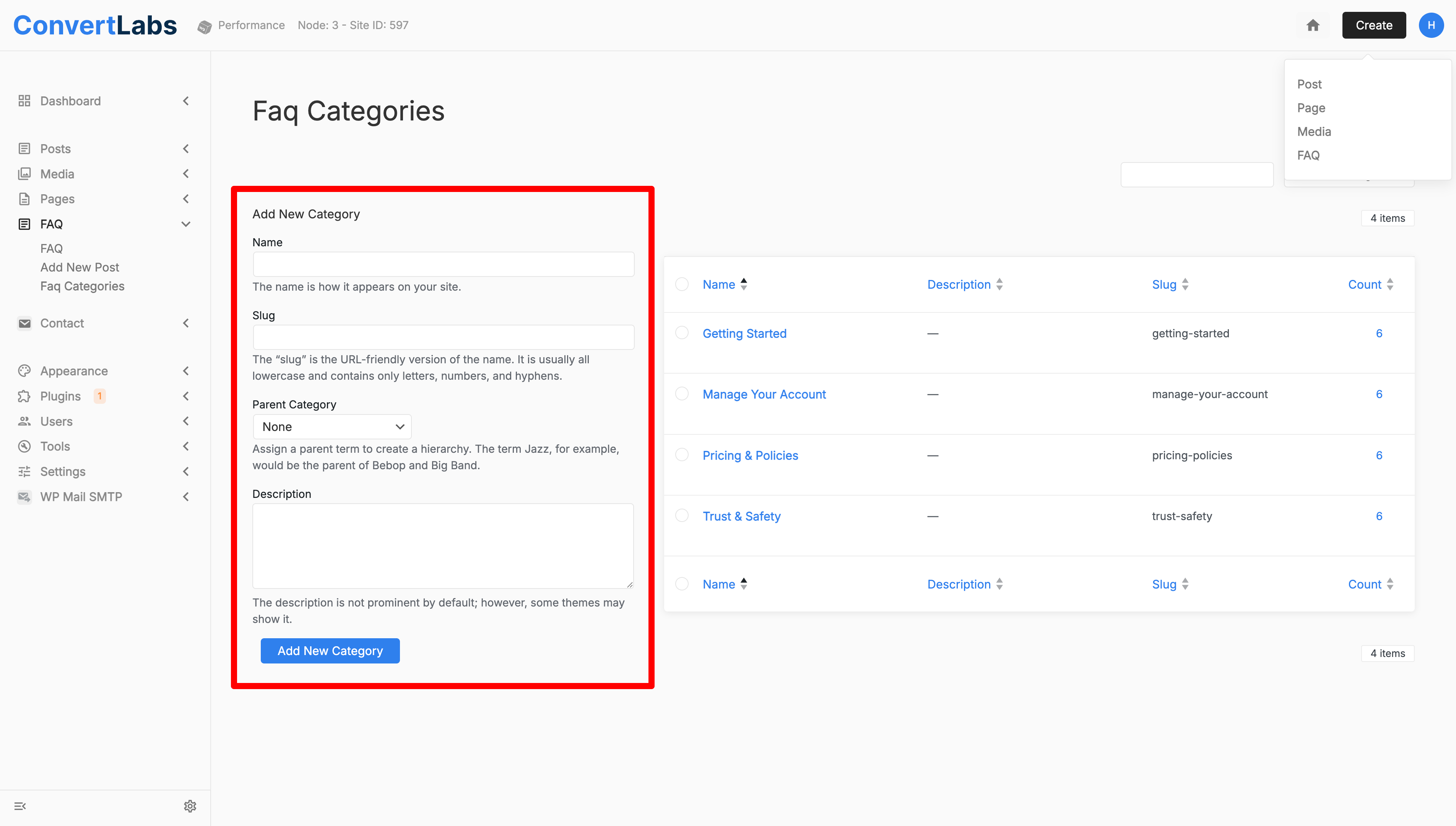
To add a new category:
- Enter the Name, Slug, and optional Description.
- Click Add New Category.
To delete a category:
Hover over the category and click Delete.
Note: Deleting a category does not automatically delete its questions, but they may need to be reassigned or removed.
Editing FAQ Questions
- Go to FAQ.
- Hover over the question and click Edit.
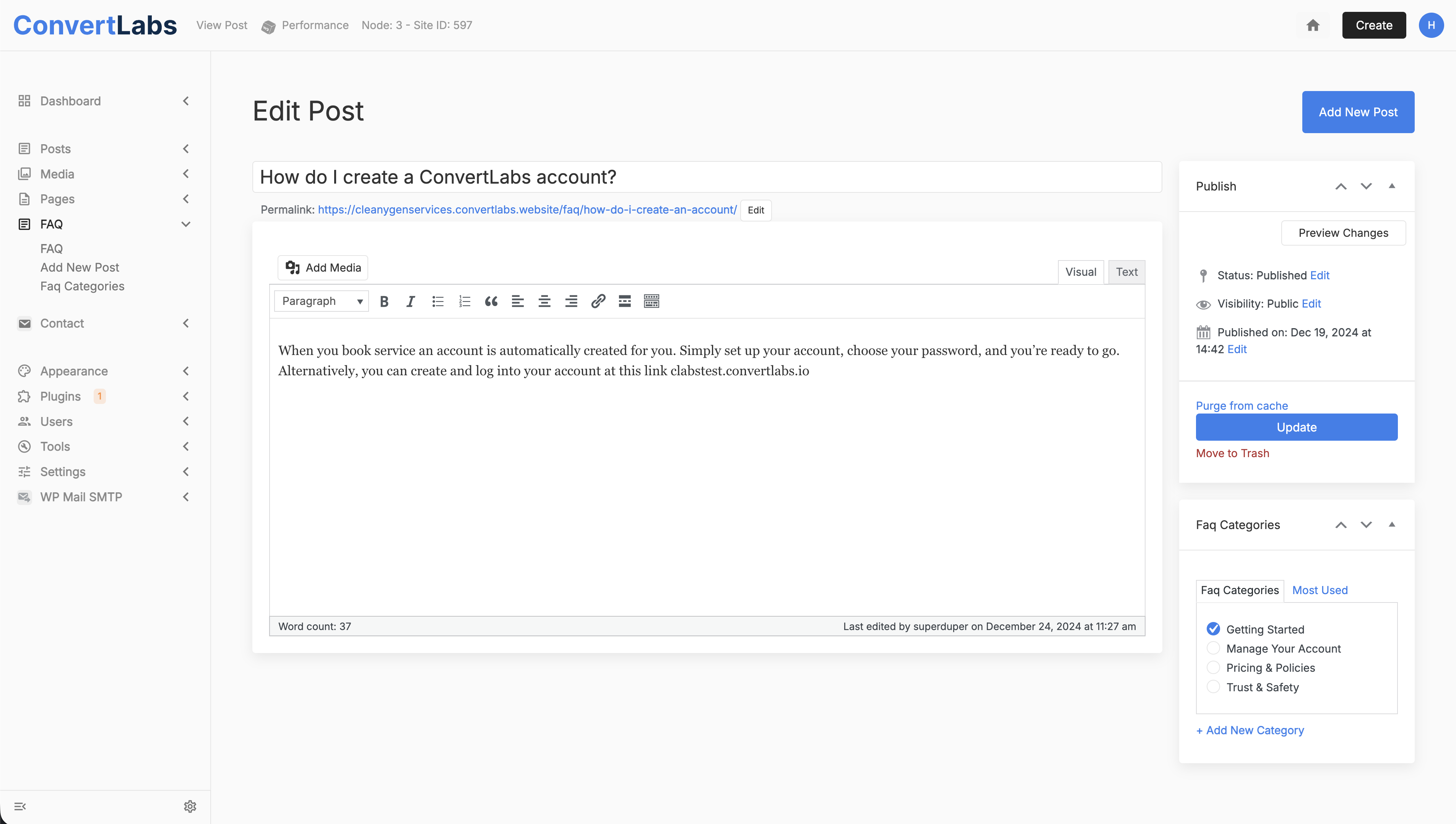
- Update the Question Title, Permalink, and Answer.
- Reassign the question to a different category if needed. You can do this quickly in the right-hand menu, you'll see a modal with the FAQ categories where you can reassign the question.
- Click Update to save your changes.
Add a New Question
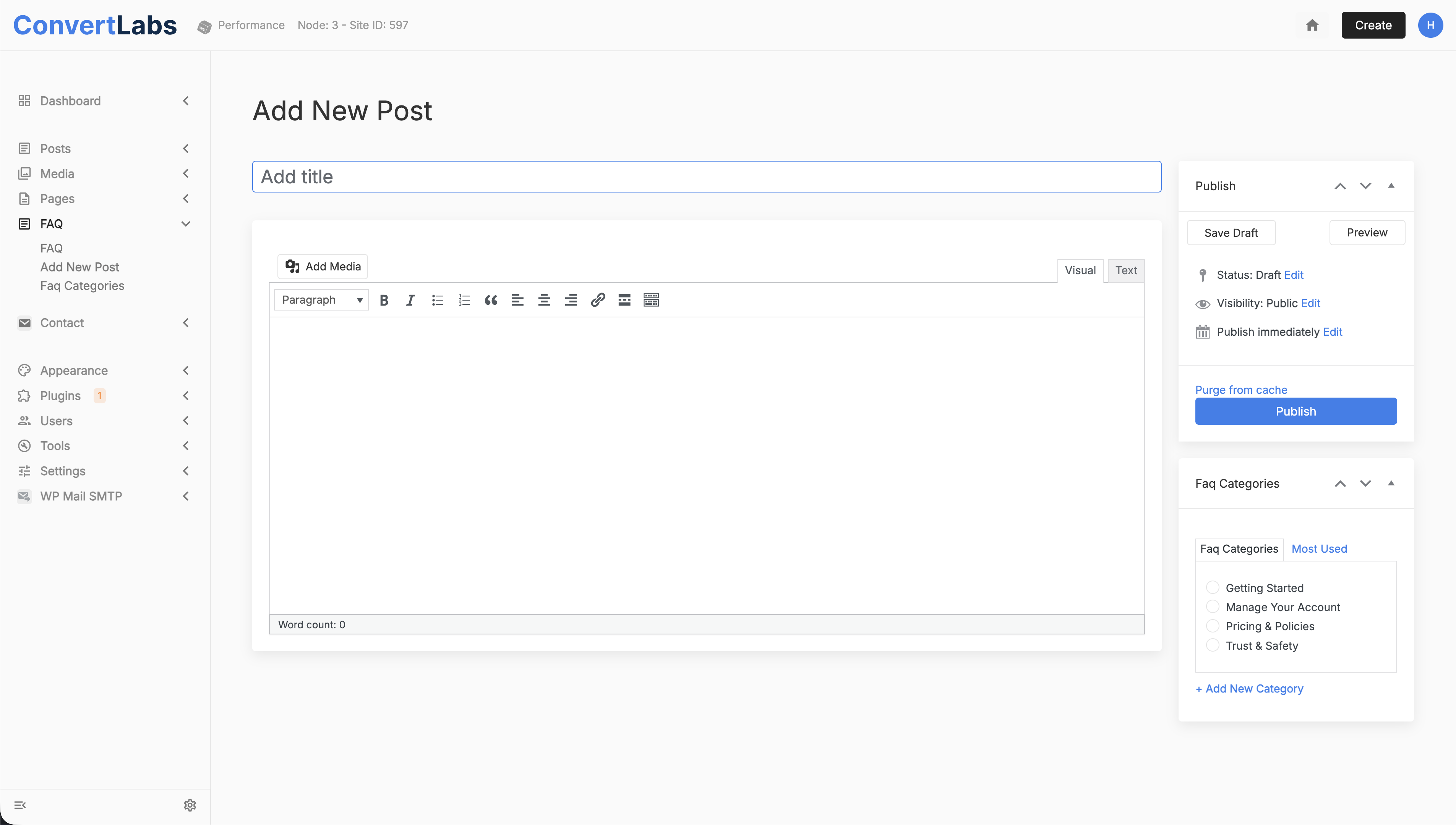
- In the FAQ view, click Add New Post.
- Enter the Question and Answer.
- Assign a category using the right-hand menu. You can also create a new category here if needed.
- Publish the question.
Quick Tip: Edit by Category
If you want to quickly manage questions within a specific category:
- Go to Faq Categories.
- Click the count number next to a category.
- You will see all questions assigned to that category.
- Edit any question directly from this filtered view.
Notes: All FAQ questions are displayed on the Help Page.
FAQs must be edited from the FAQ section in the website dashboard; they cannot be edited directly from the Help Page.
This structure ensures your Help Page stays organized, accurate, and easy to maintain.
FAQs must be edited from the FAQ section in the website dashboard; they cannot be edited directly from the Help Page.
This structure ensures your Help Page stays organized, accurate, and easy to maintain.
