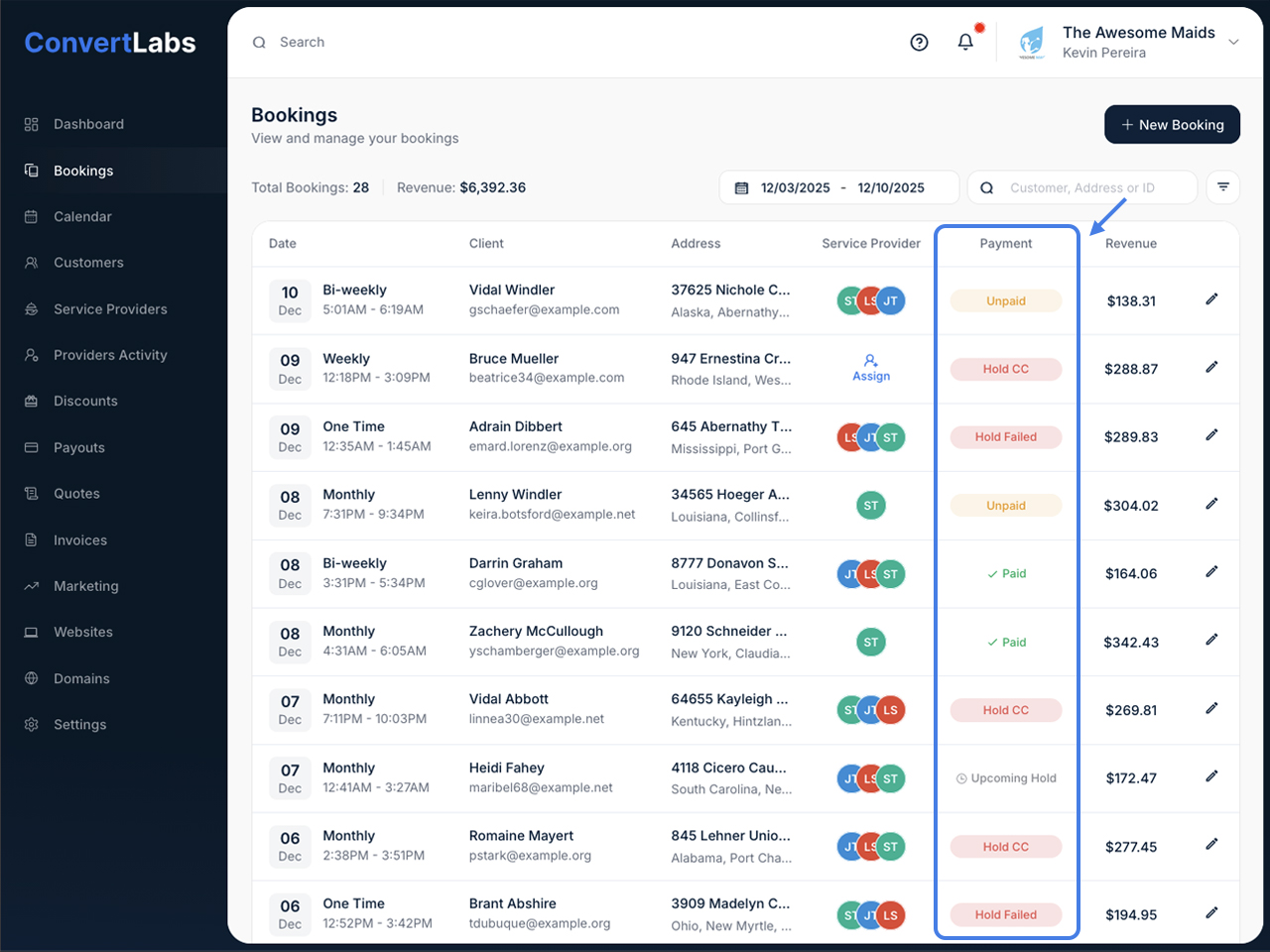
In the Bookings list, the Payment Status column displays the current payment state of each booking. This helps you quickly monitor and manage payments across all bookings.
For Credit Card Bookings:
- Upcoming Hold
When a booking is created with a credit card on file, it initially shows this status. The actual hold is automatically placed on the card one day before the scheduled booking date. - Hold Failed
This status indicates the authorization hold was unsuccessful, typically due to insufficient funds or an issue with the customer's credit card or bank. The system automatically notifies the customer about the failed payment method. If needed, you can also reach out directly to help them update their payment information on the booking. - Hold CC
This status appears only when you've enabled manual hold processing in Settings, or when you've manually stopped or cancelled an authorization hold. - Charge
On the day of service, successfully held bookings display this status, indicating they're ready to be charged. We recommend collecting payment after the service is completed to allow for any necessary adjustments. Once charged, the booking automatically closes and is marked as completed. - Charged
The booking payment has been successfully processed and collected.
For bookings without Credit Card:
- Unpaid
This status applies to bookings using alternative payment methods such as cash, check, bank transfer, or other non-card options. - Paid
Bookings using non-card payment methods that have been manually marked as paid will display this status. - Quote
This status appears for bookings generated from a quote. Payment for these bookings is typically collected through invoices, though you can also process payment via a direct charge to the customer.
Other relevant articles
Check out the article here on How to Collect Payments for your Bookings.
