
On this page
- How a recurring booking works
- How far a change reaches
- Moving through a series
- Dragging on the calendar
- Why some visits stay as they are
- Visits you edit on their own
- Cancelling
- Reading the history
How a recurring booking works
A recurring booking is a series of visits: the same customer, the same work, on a rhythm you set. Every visit in it can be opened, edited and cancelled on its own.
Since some changes may be for a single visit, and others for the entire series thereafter, we will always ask for your confirmation and apply your choice.
How far a change reaches
Whenever a change could reach more than one date, a window asks which you mean. Your answer applies to that change only, so the next one asks again.
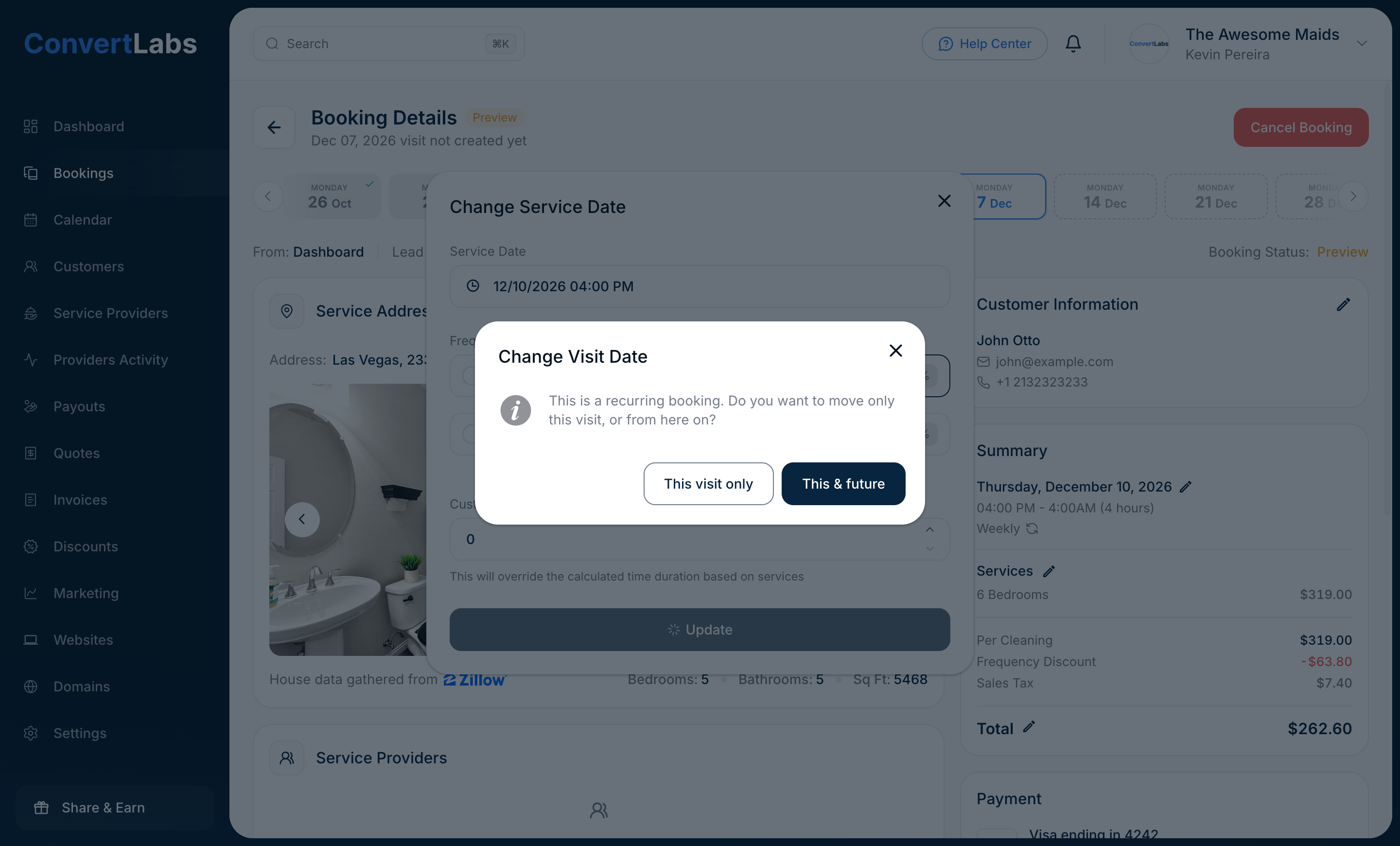
When there is nothing ahead to affect, for example on the last visit of a series or on a one-time booking, we do not ask. The change simply applies.
Frequency cannot change for a single date, so a frequency change always goes forward.
Moving through a series
Open any booking in a series and the strip across the top of the page shows its visits in order. Click a date to open it. Completed visits are marked as done, cancelled ones are marked as cancelled, and the visit you are looking at stays highlighted.

It is the fastest way to answer "what did we do last time" and "what is scheduled next" without leaving the booking.
Dragging on the calendar
You can move a visit by dragging it to another day. Nothing moves until you confirm.
If the booking repeats, we ask how far the move should go, exactly as an edit does. If it does not repeat, we confirm the new date so a stray drag never changes a booking by accident.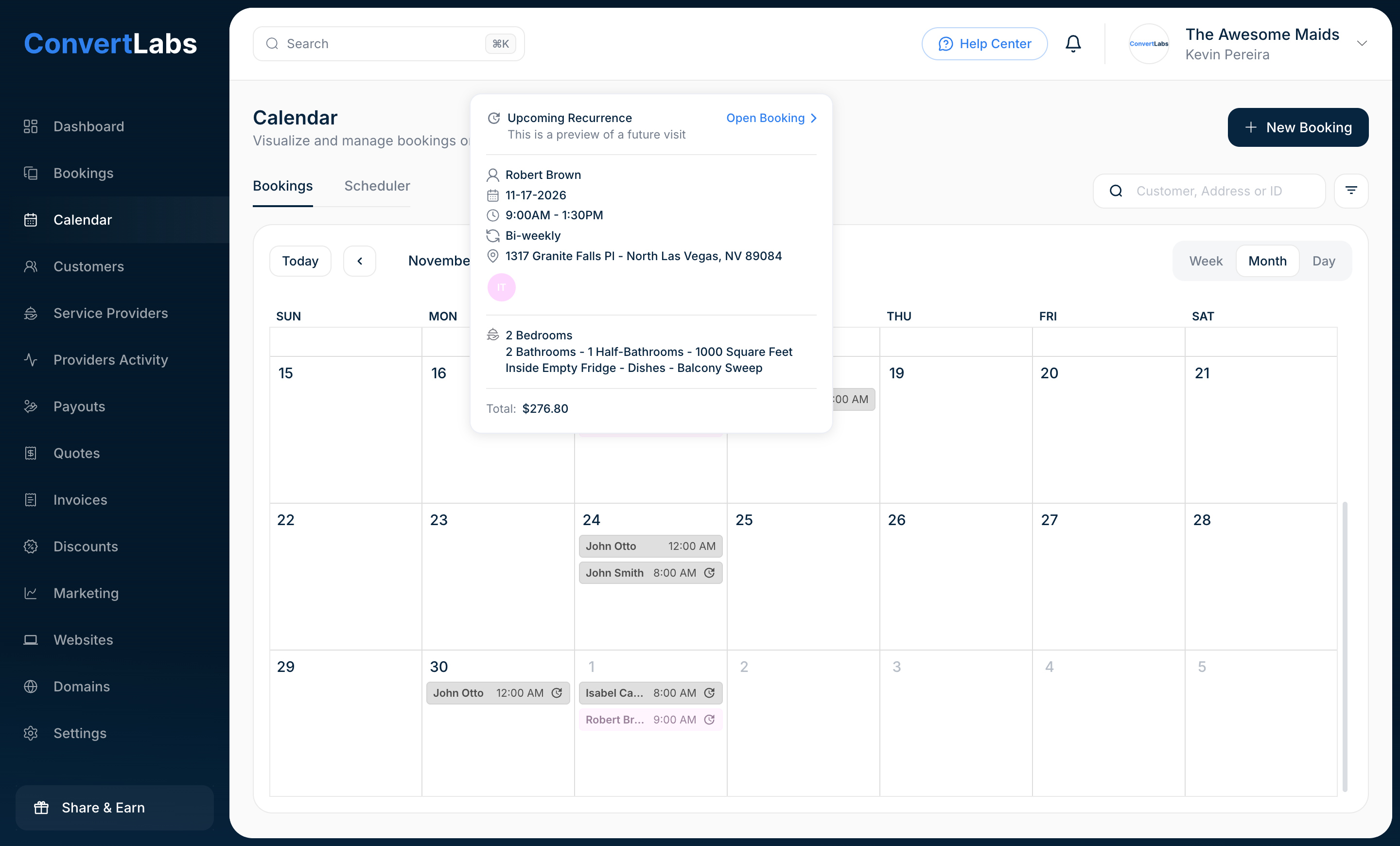
Why some visits stay as they are
This & future does not overwrite work you have already settled. It leaves out any visit ahead that is:
- already edited on its own, because you decided that date deliberately;
- already cancelled;
- already paid or collected.
The confirmation window lists those dates before you confirm, so you always know what will stay as it is. Nothing is skipped silently.
Visits you edit on their own
When you edit a single visit, it keeps its own details from then on. Later series-wide changes go around it.
It is the rule worth remembering above all the others: a visit you set by hand is never rewritten by a later change to the series.
Cancelling
A repeating booking offers two buttons: Cancel this visit only and Cancel this & future. A one-time booking offers a single Cancel Booking.
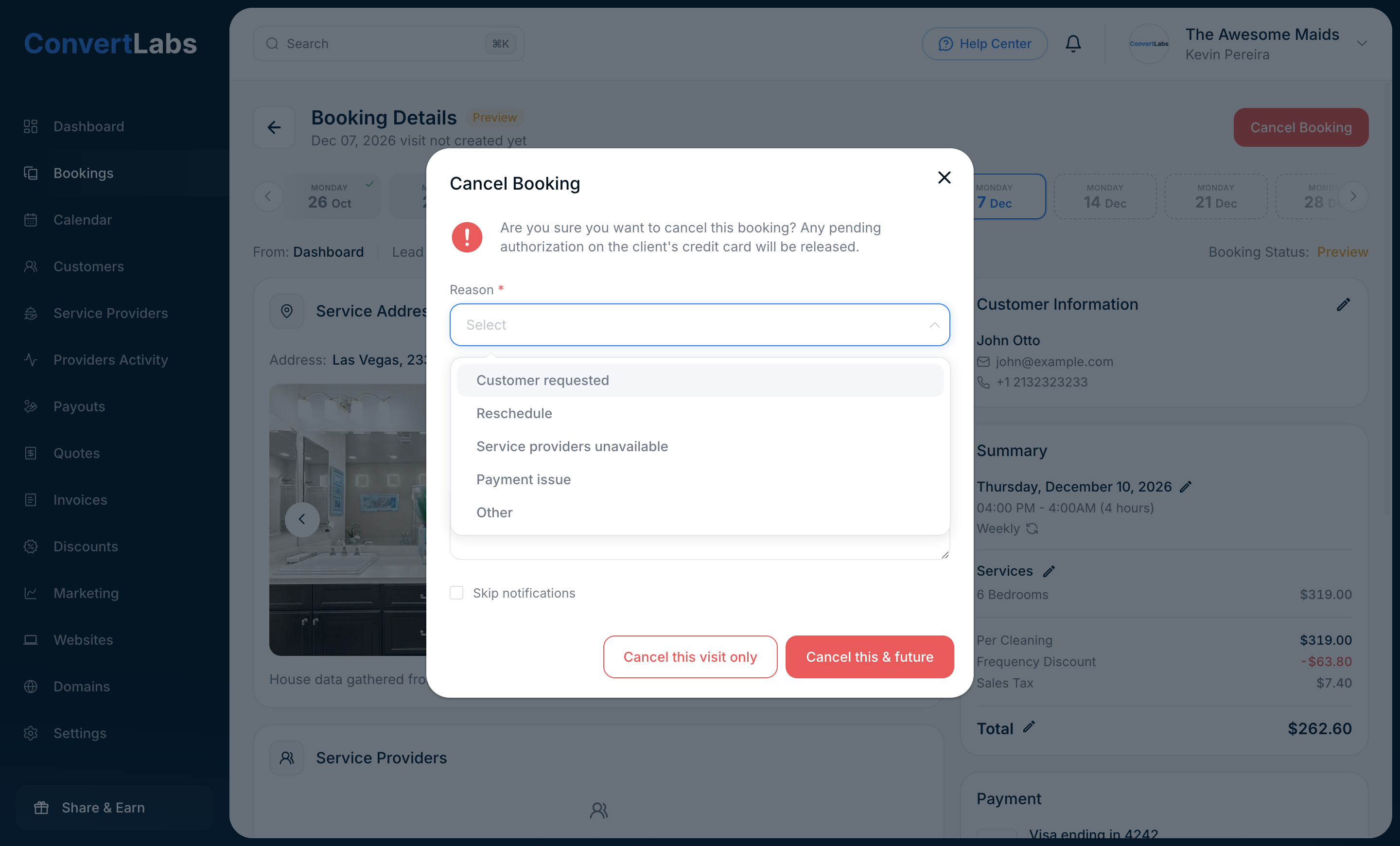
- A reason is required. Pick it from the list. It is recorded with the cancellation and shows in the booking history.
- The internal note is optional and is never shown to the customer. Use it for the detail your team needs later.
- The customer gets one email for the whole cancellation, even when it ends ten dates at once.
- A cancellation fee, when one applies, is charged once for the cancellation, not once per date.
Cancelling from this date onwards ends the series here. Dates before it keep their history, and the customer keeps everything already completed.
Reading the history
Changes History, at the bottom of every booking, records what happened, who did it and when. For repeating bookings it also records how far each change reached, so a cancellation reads as one of three things:
- Booking has been cancelled, when only that date was cancelled;
- Booking has been cancelled along with all future recurring bookings, on the date where you ended the series;
- Booking has been cancelled as part of a series cancellation, on each date the ending took with it.
The reason you picked is recorded with it, and your internal note appears underneath for your team.
